







Executive Overview
In an enterprise IT landscape increasingly defined by distributed cloud architectures, hyper-scale deployments, and mission-critical AI integrations, system availability is no longer assumed—it must be continuously stress-tested. Addressing the persistent gap between theoretical cloud resilience and real-world operational performance, Microsoft has officially launched the public preview of Azure Chaos Studio Workspaces.
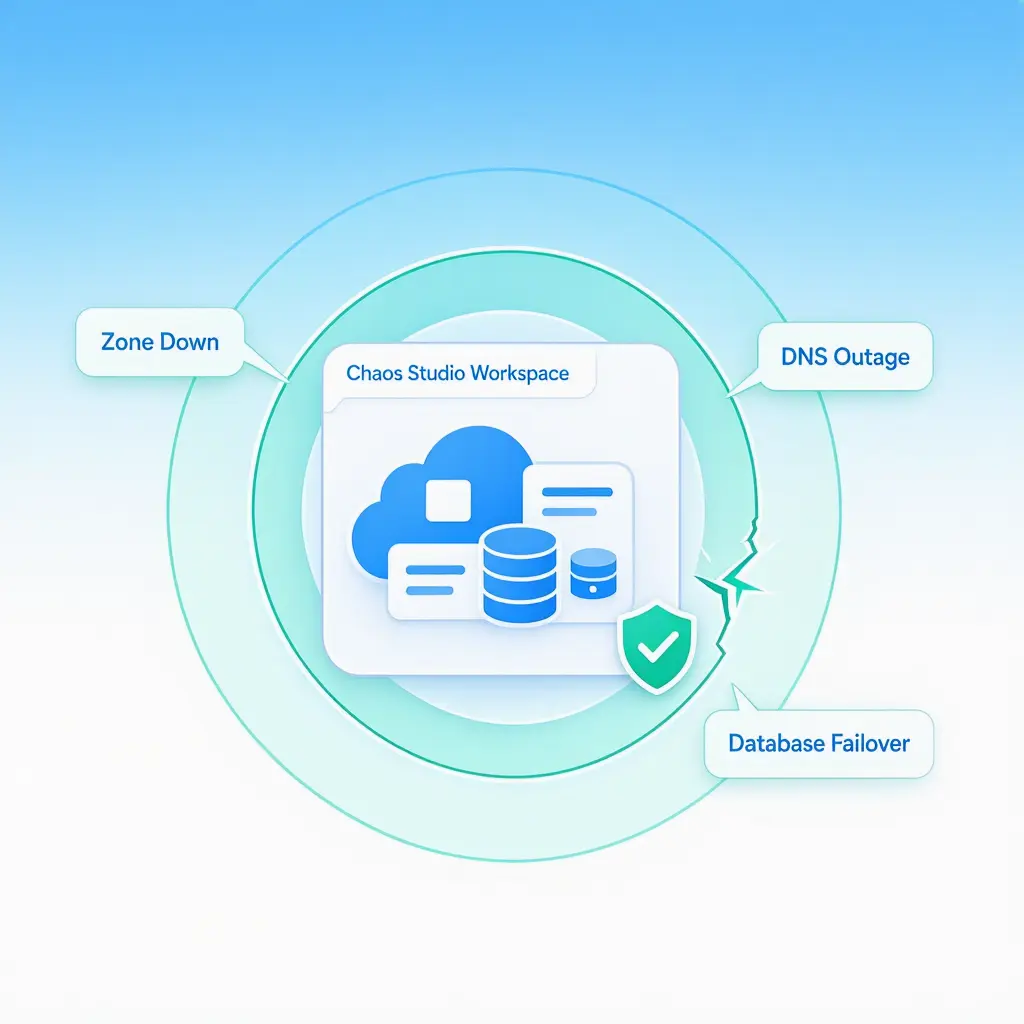
This major update transforms Microsoft’s managed chaos engineering platform, moving from manual, isolated fault injections toward automated, scenario-based outage simulations. By providing enterprise teams with pre-configured templates that mirror actual production failure modes—such as availability zone collapses, DNS disruptions, database primary failovers, and cache stampedes—Azure Chaos Studio Workspaces enables engineers to deliberately break systems in controlled environments before unintended outages impact end users.
+-----------------------------------------------------------------------------------+
|                           AZURE CHAOS STUDIO WORKSPACE                            |
|  (Discovers Resources via Managed Identity & Recommends Tailored Failure Scenarios) |
+-----------------------------------------------------------------------------------+
                                         |
         +-------------------------------+-------------------------------+
         |                               |                               |
         v                               v                               v
+------------------+           +-------------------+           +-------------------+
|  PLATFORM LAYER  |           | APPLICATION LAYER |           | AI & DATA FOUND.  |
|  - Zone Down     |           | - Data Integrity  |           | - Cache Stampede  |
|  - DNS Outage    | <-------> | - Retry Logic     | <-------> | - Event Truncation|
|  - DB Failover   |           | - Traffic Reroute |           | - Token Throttle  |
+------------------+           +-------------------+           +-------------------+
                                         |
                                         v
+-----------------------------------------------------------------------------------+
|                           POST-DRILL SCENARIO REPORT                              |
|  (Telemetry Correlation, Timeline Analysis, Audit Trails for SRE & Compliance)    |
+-----------------------------------------------------------------------------------+
Designed to support complex multi-tier topologies, hybrid environments, and emerging Generative AI pipelines, the workspace framework acts as an intelligent orchestration layer. It automatically discovers subscription resources, evaluates system vulnerabilities, and generates actionable, post-drill diagnostic reports.
Additionally, Microsoft is bridging chaos engineering with AI-driven operations by introducing a dedicated GitHub Copilot Skill and a Model Context Protocol (MCP) server. These integrations allow human engineers and autonomous SRE agents to execute resilience drills directly within conversational development environments.
With General Availability (GA) targeted for late 2026, Azure Chaos Studio Workspaces represents a significant shift toward proactive site reliability engineering (SRE), offering organizations a programmatic method to validate resilience across every layer of the technology stack.
Detailed Breakdown: Core Architectural Capabilities and Operational Features
The preview of Chaos Studio Workspaces shifts chaos engineering from an ad-hoc, highly manual testing effort into an automated, continuous operational workflow. Rather than requiring site reliability engineers to construct complex fault injection scripts from scratch, Workspaces introduces a declarative, scenario-focused abstraction model.
+-----------------------------------------------------------------------------------+
|                         CHAOS STUDIO WORKSPACE WORKFLOW                           |
+-----------------------------------------------------------------------------------+
  [1. Discovery]   --> Managed Identity scans Azure Subscriptions / Resource Groups
  [2. Analysis]    --> Platform evaluates architecture & suggests Scenarios
  [3. Selection]   --> Choose Curated Template (Zone Down, DNS) or Custom (Designer)
  [4. Execution]   --> Automated API & VM Agent fault injection across stack
  [5. Evaluation]  --> Scenario Report generated with Azure Monitor correlation
+-----------------------------------------------------------------------------------+
1. Unified Resource Discovery and Recommendation Engine
The central component of the updated architecture is the Workspace Resource, which functions as the primary control plane for chaos testing across designated Azure subscriptions or resource groups.
- Managed Identity Integration: Upon deployment, a Workspace leverages Azure Managed Identities to safely scan the scoped infrastructure, identifying compute instances, virtual machine scale sets (VMSS), managed databases, DNS zones, and caching tiers.
- Contextual Fault Recommendation: Based on the discovered topology, the workspace generates tailored scenario recommendations. If a multi-zone Kubernetes (AKS) cluster paired with an Azure SQL Database is detected, the workspace automatically surfaces relevant test scenarios, such as regional failovers or zone-specific network partitioning.
2. A Curated Library of Production Outage Scenarios
Workspaces replaces isolated fault primitives with multi-layered, orchestrated failure patterns based on real incident data from Microsoft’s global cloud infrastructure.
| Scenario Pattern | Underlying Mechanism | Target Validation |
|---|---|---|
| Zone Down | Simultaneously disables VMSS instances, severs availability zone networking, and triggers health probe failures across a single zone. | Validates automatic cross-zone traffic rerouting and multi-zone compute redundancy. |
| DNS Outage | Injects latency and drops resolution packets at the virtual network DNS responder level. | Tests client-side fallback DNS configurations, caching mechanisms, and timeout behavior. |
| Database Failover | Forces an ungraceful primary node failover in managed databases (e.g., Azure SQL, Cosmos DB). | Ensures application connection strings correctly update without causing persistent connection leaks or transaction corruption. |
| Cache Stampede | Evicts critical Redis/Memcached keys while injecting high concurrent traffic load. | Evaluates database read-replica fallback limits and protective circuit-breaker logic. |
| Event-Driven Messaging Disruption | Induces latency and simulates poison-pill dead-lettering within Event Hubs or Service Bus. | Verifies message queue backpressure handling, message replay fidelity, and idempotent consumer code. |
3. Drag-and-Drop Scenario Designer
For custom enterprise architectures that require specialized test flows, Microsoft has introduced the Scenario Designer directly within the Azure Portal.
- Visual Drag-and-Drop Canvas: Visual interface allowing SREs to chain together platform-level API faults (e.g., resource property alterations, network security group rules) and OS-level agent faults (e.g., CPU burnout, memory leaks, disk pressure).
- Branching and Parallel Execution: Enables engineers to model complex, multi-stage outages where sequential platform disruptions occur alongside localized host resource exhaustion.
4. Automated Post-Drill Scenario Reports
Upon execution of a chaos scenario, Workspaces automatically compiles a comprehensive Scenario Report.
- Signal Attribution: Correlates fault timing directly against telemetry gathered by Azure Monitor, distinguishing baseline system noise from actual performance degradation caused by the injected fault.
- Audit and Compliance Readiness: Produces standardized exportable artifacts detailing target resources, operational response times against Recovery Time Objectives (RTO), and identified failure points. These reports can be attached to formal change management records, internal post-incident reviews (PIRs), or external compliance documentation.
Supporting Context & Industry Impact: Closing the Enterprise "Resilience Gap"
The Architectural Fallacy and the Shared Responsibility Model
Enterprise investments in high-availability architecture—such as geo-redundant storage (GRS), zone-redundant app services, and automated load balancing—frequently fail to prevent outages due to configuration drifts and unexpected runtime dependencies.
+-----------------------------------------------------------------------------------+
|                        SHARED RESPONSIBILITY FOR RESILIENCE                       |
+-----------------------------------------------------------------------------------+
| MICROSOFT RESPONSIBILITY (Platform)       | CUSTOMER RESPONSIBILITY (Application) |
| - Physical Data Center Infrastructure     | - Health Probe Threshold Configurations|
| - Platform Auto-Failover Mechanisms       | - Non-Hardcoded Connection Strings     |
| - Underlying Network Connectivity         | - Graceful Degradation & Retry Logic   |
| - Storage Fabric Redundancy               | - Data Consistency under Latency       |
+-----------------------------------------------------------------------------------+
Microsoft emphasizes that cloud reliability operates under a strict Shared Responsibility Model:
- Platform Layer Resilience: Microsoft guarantees the physical availability, low-level fabric redundancy, and underlying infrastructure of Azure services.
- Application Layer Resilience: The enterprise customer remains responsible for correctly configuring failover parameters, writing defensive application code, handling network retries, and maintaining state consistency.
Production incidents frequently occur at the intersection of these two layers. A cloud provider’s database platform may successfully complete a failover in under 30 seconds, satisfying its Service Level Agreement (SLA). However, if the customer’s application code indefinitely caches the old IP address, hardcodes a regional primary endpoint, or lacks exponential backoff logic, the application remains unavailable to users.
By injecting faults across both platform interfaces and host operating systems, Chaos Studio Workspaces exposes these latent integration bugs prior to live operational incidents.
The Next Frontier: Integration with AI Workloads and Autonomous Operations
As enterprise IT modernizes, chaos engineering is expanding to cover both traditional multi-tier web applications and complex Generative AI pipelines.
+-----------------------------------------------------------------------------------+
|                   CHAOS TESTING IN AI & AUTONOMOUS ENVIRONMENTS                   |
+-----------------------------------------------------------------------------------+
|  [Enterprise AI Stack]     Retrieval Pipelines | Vector DBs | LLM Endpoints       |
|                                    |                 |               |            |
|  [Infrastructure Dependencies] Compute Compute  | Caches    | Identity / API |
|                                    +-----------------+---------------+            |
|                                                      |                            |
|  [Chaos Injectors]         Token Throttling | Retrieval Drift | Cache Eviction    |
|                                                      |                            |
|  [Autonomous Control]      GitHub Copilot Skill  <------->  MCP Server Integration |
+-----------------------------------------------------------------------------------+
Validating AI Infrastructure
Generative AI implementations—including Retrieval-Augmented Generation (RAG) frameworks, copilot interfaces, and autonomous agent orchestration platforms—rely on foundational cloud services like vector databases, enterprise search indexes, fast caching tiers, and API gateways.
Chaos Studio Workspaces provides the mechanisms required to test these specialized operational dependencies:
- Infrastructure Faults for AI: Simulates latency spikes or failures in storage, memory, and database layers that feed vector context to Large Language Models (LLMs).
- Evolving AI-Specific Scenarios: Microsoft is expanding the scenario library to address specific AI failure modes, such as API token throttling, model rate-limiting, and retrieval drift caused by underlying data store latency or partial network drops.
Integration with AI-Powered Operational Tooling
To embed chaos testing directly into modern software engineering workflows, Microsoft is delivering developer-centric AI integrations alongside the Workspace release:
- Chaos Studio Skill for GitHub Copilot: A conversational interface allowing developers to trigger chaos drills directly within their IDE or GitHub workflows. Engineers can instruct Copilot to execute a drill, query real-time results, and synthesize Azure Monitor log telemetry into actionable root-cause analyses through natural language.
- Model Context Protocol (MCP) Server: A structured server interface providing programmatic access to Chaos Studio operations via typed tools. This protocol allows external AI systems—such as Claude, Cursor, Codex, or custom enterprise SRE agents—to autonomously provision Chaos Workspaces, schedule drills, and evaluate application stability without requiring direct manual human control.
// Example MCP Tool Manifest for Autonomous Chaos Injection

  "tool": "AzureChaosStudio_ExecuteScenario",
  "description": "Triggers a curated chaos scenario against a targeted workspace.",
  "parameters":
    "workspaceId": "/subscriptions/.../resourceGroups/.../workspaces/ProductionWorkspace",
    "scenarioName": "ZoneDown_And_DatabaseFailover",
    "durationMinutes": 15,
    "telemetrySource": "AzureMonitor_AppInsights"
This alignment with platform tools like Microsoft Foundry and the Azure SRE Agent enables continuous, automated validation loops. Autonomous systems can safely run chaos experiments as part of deployment pipelines to proactively verify system stability assumptions.
Strategic Future Outlook and Implementation Roadmap
The introduction of Azure Chaos Studio Workspaces reflects a broader industry movement toward Continuous Resilience Verification. As cloud platforms become more complex, periodic manual disaster recovery exercises are being replaced by automated, platform-native chaos testing.
+-----------------------------------------------------------------------------------+
|                        CHAOS STUDIO WORKSPACES TIMELINE                           |
+-----------------------------------------------------------------------------------+
  [Q2 2026] Public Preview Release
            - Workspace Resource Model Introduced
            - Initial Library of Curated Outage Scenarios
            - GitHub Copilot Skill & MCP Server Integration
                                |
                                v
  [2026 H2] Extended Scenario Catalog
            - Dedicated AI Pipeline Fault Injection Models
            - Enhanced Integration with Microsoft Foundry & SRE Agents
                                |
                                v
  [Late 2026] Target General Availability (GA)
            - Full Enterprise SLA Guarantees
            - Global Regional Rollout
+-----------------------------------------------------------------------------------+
Onboarding Steps for Operations Teams
Organizations looking to adopt Azure Chaos Studio Workspaces during the public preview phase can follow a streamlined four-step onboarding pathway:
- Workspace Deployment: Provision a
Chaos Studio Workspaceresource within the target Azure subscription or resource group containing staging or pre-production workloads. - Managed Identity Authorization: Assign appropriate Role-Based Access Control (RBAC) permissions (such as Reader and custom chaos execution roles) to the Workspace’s managed identity, allowing it to scan and safely interact with host resources.
- Scenario Recommendation Review: Open the Workspace interface within the Azure Portal to view automatically recommended scenario templates matched to the environment’s resource configuration.
- Automated Drill Execution: Execute targeted drills—starting with localized, non-disruptive agent faults before escalating to complete Zone Down or Database Failover scenarios—and analyze the resulting Scenario Reports against operational RTOs.
Road to General Availability
Microsoft has mapped out a phased expansion leading up to General Availability (GA), targeted for late 2026:
- Catalog Expansion: The ongoing rollout of additional enterprise scenario templates targeting complex cloud-native architectures, serverless computing models, and distributed microservices.
- Native Platform Automation: Tighter integration with Azure DevOps, GitHub Actions, and deployment pipelines to automatically block pull requests or code promotions if a application fails its corresponding chaos scenario.
- Autonomous Operations Integration: Deeper alignment with AI SRE agents, enabling autonomous self-healing software ecosystems to design, run, and learn from chaos testing without human intervention.
As enterprise infrastructure shifts toward autonomous management and hybrid AI topologies, Azure Chaos Studio Workspaces offers the platform needed to ensure cloud architectures remain resilient under real-world stress conditions.