






Executive Overview
In the high-stakes landscape of modern post-production and visual effects (VFX), motion tracking serves as an indispensable cornerstone. From seamless screen replacements and complex rotoscoping to dynamic motion graphics and invisible digital cosmetics, the ability to map digital assets onto moving footage dictates the realism and efficiency of a final render. For over three decades, Adobe After Effects has reigned as the industry-standard software for motion design and compositing. Yet, a persistent point of friction remains among its global user base: the perceived inadequacy of its built-in motion tracking tools.
Historically, beginners and seasoned professionals alike have voiced frustration over "tracker drift," sensitivity to motion blur, and the tedious manual keyframing required to correct failing tracks. However, an investigative look into the software’s architecture reveals a compelling paradox. The solution to these tracking woes is not a costly third-party add-on or an elusive future software update; rather, it is a world-class, academy-award-winning tracking engine already installed on users’ hard drives.
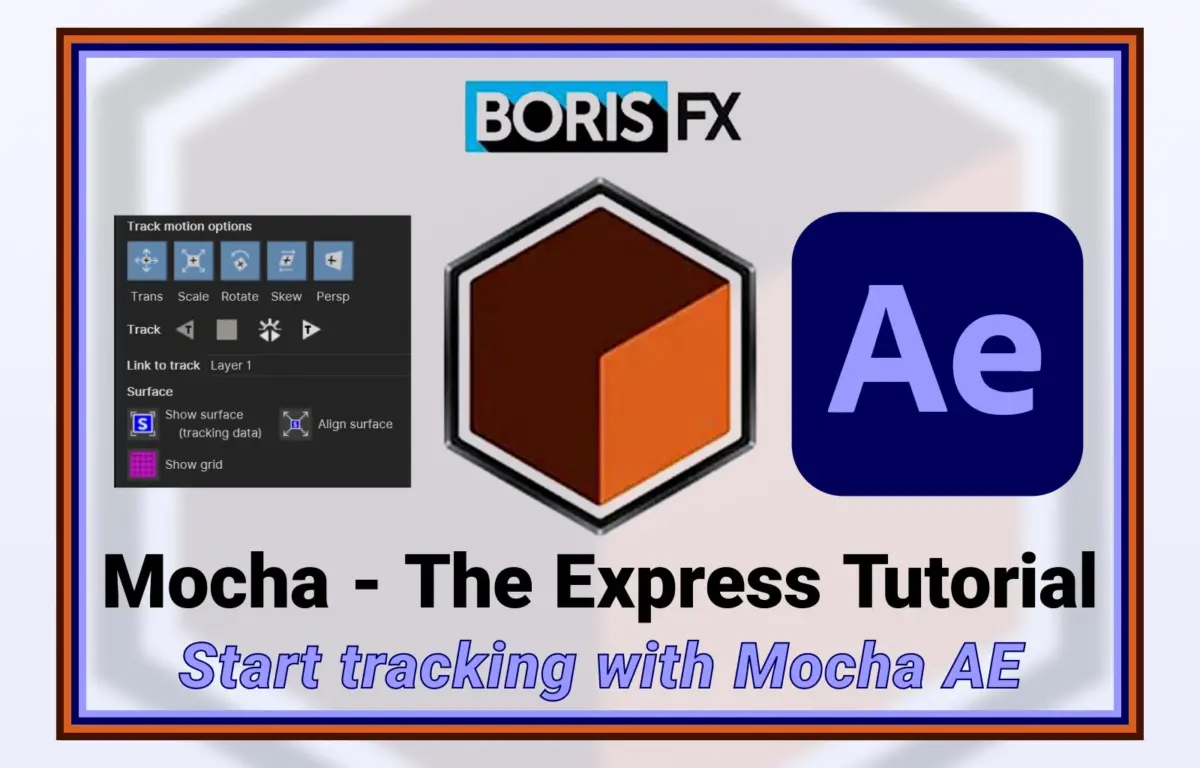
Through a strategic licensing agreement established over a decade ago, Adobe bundles a specialized version of Boris FX’s industry-leading planar tracker, Mocha AE, with every installation of After Effects. Despite its presence, a significant portion of the user community continues to rely on legacy point-tracking methods or complain about native tracking limitations, completely overlooking the powerful utility sitting idle in their Effects menu. This report examines the evolution of tracking technology within After Effects, dissects the technical superiority of planar tracking over traditional point tracking, explores industry perspectives on user adoption, and outlines the future of motion tracking in an AI-driven post-production ecosystem.
Detailed Chronology: The Evolution of Tracking in Adobe After Effects
To understand why the integration of Mocha AE was such a monumental shift in post-production workflows, it is necessary to trace the historical evolution of motion tracking within Adobe’s ecosystem.
[1993] After Effects CoSA Launched (Basic Point Tracking)
   │
[2003] After Effects 6.0 (Tracker Overhaul & UI Redesign)
   │
[2008] After Effects CS4 (Adobe Licenses Imagineer Systems' Mocha AE)
   │
[2014] Boris FX Acquires Imagineer Systems (Accelerated Mocha Development)
   │
[Present] Modern Creative Cloud (Deeply Integrated Mocha AE with Boris FX Ecosystem)
The Era of the Point Tracker (1993–2003)
When After Effects was originally developed by the Company of Science and Art (CoSA) in 1993, and subsequently acquired by Aldus and then Adobe, video resolution was low, and visual effects pipelines were in their infancy. The software introduced a basic point tracker, which operated by analyzing luminance and chrominance values within a defined search region and a feature region.
For simple, high-contrast, linear movements—such as a bright marker on a dark background—the point tracker was sufficient. However, as industry demands scaled toward high-definition formats and complex camera movements, the limitations of this mathematical approach became glaringly obvious. The tracker struggled with:
- Rotation and Scale: Requiring a second tracking point, which doubled the margin of error and processing time.
- Occlusion: If an actor or object crossed in front of the tracking point, the tracker would immediately lose its target, resulting in "drift."
- Motion Blur and Noise: Sudden camera pans or low-light sensor noise scrambled the pixel-matching algorithm, forcing artists to manually adjust keyframes frame-by-frame.
The Limits of Localized Pixels and the Mid-2000s Overhaul
In the early 2000s (most notably around the release of After Effects 6.0 in 2003), Adobe overhauled its native tracker. The update improved processing speeds and modernized the user interface, but the underlying math remained fundamentally unchanged. It was still a point tracker reliant on localized pixel matching.
During this period, independent visual effects houses were forced to seek external software solutions for complex tracking tasks. The industry required a tool that could look beyond individual pixels and understand the geometry of a scene.
The Paradigm Shift: Adobe’s Integration of Boris FX Mocha (2008–Present)
Recognizing that rebuilding their internal tracking engine from scratch would require massive development resources, Adobe executed a brilliant strategic pivot. In 2008, with the release of After Effects CS4, Adobe partnered with Imagineer Systems (later acquired by Boris FX in 2014) to bundle a custom version of their revolutionary planar tracking software, Mocha, directly into After Effects.
+-------------------------------------------------------------+
|                     AFTER EFFECTS SUITE                     |
|                                                             |
|   +---------------------+         +---------------------+   |
|   |   Legacy Tracker    |         |      Mocha AE       |   |
|   |  (Point-based tracking)  |     |  (Planar-based tracking) |   |
|   +---------------------+         +---------------------+   |
|              |                               |              |
|   Tracks individual pixels        Tracks surfaces & textures |
|   Prone to drift & occlusion      Highly resilient to noise |
+-------------------------------------------------------------+
This bundled version, dubbed Mocha AE, gave users direct access to planar tracking without leaving the Adobe ecosystem. Over successive updates, the integration became more seamless, evolving from a standalone helper application to a deeply integrated plug-in launched directly from the After Effects interface. Today, Mocha AE remains a standard feature of the Creative Cloud suite, offering an elite alternative to the legacy point tracker.
Technical Comparison & Workflow Metrics: Point vs. Planar Tracking
The frustration surrounding After Effects’ native tracking tools stems from a fundamental misunderstanding of tracking mathematics. To appreciate why Mocha AE is a superior solution, one must analyze the mechanical differences between Point Tracking and Planar Tracking.
The Mechanics of Failure: Why Point Tracking Drifts
Point tracking relies on identifying a small, distinct cluster of pixels (a feature) and searching for that exact cluster in subsequent frames.
$$textSearch Region rightarrow textFeature Detection rightarrow textPixel-by-Pixel Matching$$
If the camera rotates, the perspective of that pixel cluster changes. If the lighting changes, the luminance values shift. If motion blur occurs, the sharp edges of the feature dissolve. In all of these scenarios, the mathematical correlation drops below the tracker’s threshold, causing it to "drift" off-target.
The Mathematics of Planes: Why Mocha Succeeds
Planar tracking, the proprietary engine powering Mocha, does not track individual points. Instead, it tracks surfaces (planes).
A plane is defined as any flat, two-dimensional surface in a video file—such as a wall, a computer screen, a floor, or even a relatively flat area of human skin. Mocha’s Planar Tracking Engine analyzes the movement of texture across an entire user-defined shape (spline).
[User Draws Spline Around Target Surface]
                   │
[Mocha Analyzes Texture/Pixels Across Entire Area]
                   │
[Calculates Translation, Scale, Rotation, Tilt, and Perspective]
                   │
[Maintains Track Even If Portions of the Surface are Occluded]
By calculating the collective movement of thousands of pixels across a broad surface, Mocha can easily account for:
- Occlusion: If a person walks in front of a tracked wall, Mocha recognizes that the background texture is still moving consistently behind the obstruction and ignores the foreground interloper.
- Motion Blur: Because it looks at the overall surface area rather than sharp edges, Mocha can accurately calculate trajectory even through heavy camera shakes.
- Perspective and Shear: Mocha tracks changes in perspective (Z-axis rotation and tilt), allowing for flawless corner-pinning on screens that rotate away from the camera.
Quantifying Efficiency: The Impact on VFX Pipelines
To demonstrate the efficiency gain of planar tracking over legacy point tracking, consider the following comparative metrics compiled from real-world VFX workflows:
| Tracking Parameter | Legacy Point Tracker (Native AE) | Mocha AE (Planar Tracker) |
|---|---|---|
| Setup Time | Fast (Click and place point) | Moderate (Draw bezier spline) |
| Tracking Speed | Variable (Prone to stopping on errors) | Fast, continuous processing |
| Manual Keyframing Required | High (Frequent manual adjustments needed) | Low to None (Highly automated) |
| Handling of Occlusions | Fails immediately | Highly resilient |
| Perspective/Skew Tracking | Extremely difficult (Requires 4-point tracking) | Native (Calculated automatically) |
| Roto-Masking Integration | Separate workflow | Integrated (Splines double as masks) |
| Average Time Saved | Baseline | 50% to 80% reduction in manual labor |
Advanced Workflows: Reverse Stabilization
One of the most powerful workflows enabled by Mocha AE is reverse stabilization. In visual effects, painting out blemishes, adding digital makeup, or removing unwanted background objects can be incredibly difficult on moving footage.
With Mocha AE, an artist can:
- Track the target area (e.g., an actor’s face).
- Apply "Stabilize" to flatten the motion of that specific area.
- Perform precise paintwork or add graphics on a perfectly still frame.
- "De-stabilize" (reverse stabilize) the composition, reapplying the original organic camera movement to the new assets.
This workflow, which takes hours using traditional point trackers and manual keyframing, can be accomplished in minutes using Mocha’s planar data.
Industry Insights and Official Perspectives
Despite the clear technical superiority of Mocha AE, a surprising disconnect persists in the motion design community. Beginners and intermediate artists frequently complain about the limitations of the native After Effects tracker on social media and forums, while completely ignoring the Mocha icon in their effects panel.
The Psychological Barrier of the Secondary Interface
Industry educators point out that the primary hurdle to Mocha adoption is not technical capability, but user psychology. When a user launches Mocha AE from within After Effects, it opens a separate, dedicated interface.
"For a beginner, being thrown into a different interface with its own set of tools, shortcuts, and timelines can be incredibly intimidating," says one veteran VFX trainer. "They want to stay within the comfort zone of the After Effects timeline. But that hesitation costs them hours of unnecessary manual work."
To bridge this gap, Boris FX has invested heavily in educational content. The company offers a comprehensive, free 45-part tutorial series called "Mocha Essentials" on YouTube. This series is designed to systematically demystify planar tracking, taking users from basic interface navigation to advanced rotoscoping and tracking techniques.
[After Effects Interface] ──(Launch Effect)──> [Mocha AE Interface]
                                                     │
                                           [Perform Planar Track]
                                                     │
[After Effects Timeline] <──(Export Data)──────[Generate Tracking/Mask Data]
Official Advocacy: The Message to Creators
Product managers and industry veterans agree: there is no longer any excuse for complaining about tracking inside After Effects.
"Adobe did the community a massive service by licensing Mocha AE," states an industry analyst. "Instead of offering a mediocre, home-grown solution, they provided a pathway to an Academy-Award-winning tool. When artists complain about the built-in point tracker, it simply reveals a lack of training, not a lack of software capability. The tool is there, it’s paid for, and it’s incredibly powerful."
For users who master Mocha AE and find themselves needing even more advanced capabilities, Boris FX offers a clear upgrade path to Mocha Pro. The premium version introduces cutting-edge features such as:
- PowerMesh: Tracking organic, deforming surfaces (like clothing or muscles).
- Object Removal: Automatically removing unwanted elements from moving footage by generating clean plates.
- Lens Calibration: Correcting lens distortion that can warp tracking data.
- Camera Solve: 3D camera tracking for matching virtual cameras with real-world footage.
Future Outlook: Tracking in the Era of Machine Learning and AI
As the post-production industry transitions into an era dominated by artificial intelligence and machine learning, the technology underpinning motion tracking is undergoing another quiet revolution.
                  ┌──> Legacy Point Tracking (Pixel-matching)
                  │
EVOLUTION PATH ───┼──> Planar Tracking (Surface & Texture Geometry)
                  │
                  └──> AI & Neural Tracking (Semantic Object Recognition)
The Rise of Neural Tracking and PowerMesh
Both Adobe and Boris FX are actively integrating machine learning models into their tracking software. Adobe’s Sensei AI powers tools like the Rotobrush 3.0, which uses semantic segmentation to isolate subjects with minimal user input.
Simultaneously, Boris FX is incorporating machine learning into Mocha’s core tracking engine to assist with edge detection, automatic spline creation, and handling extremely complex occlusions. Features like PowerMesh are laying the groundwork for a future where tracking software understands not just flat planes, but the three-dimensional deformation of organic tissues and fabrics.
Why Core Tracking Fundamentals Remain Indispensable
While AI-driven "one-click" solutions are highly appealing, professional VFX supervisors warn against relying entirely on automated tools.
"AI tools are incredible when they work, but they are black boxes," explains a leading technical director. "When an AI rotoscope or tracker fails, you have very few manual controls to fix it. That is why planar tracking remains the backbone of professional work. Mocha gives you absolute, mathematical control over the tracking data. Even as AI becomes more prevalent, understanding how to define planes, adjust search areas, and manipulate splines will remain a critical skill for any serious visual effects artist."
By mastering Mocha AE today, motion designers and VFX artists not only solve their immediate tracking challenges but also build the foundational geometric and spatial skills required to navigate the next generation of AI-assisted post-production tools. The days of fighting with drift, struggling with motion blur, and cursing the native After Effects point tracker are over—provided users finally open the powerful tool that has been waiting on their hard drives all along.