









Executive Overview
In the modern landscape of digital broadcasting, podcasting, and remote journalism, capturing studio-grade audio from remote guests remains a persistent challenge. While professional hosts often invest thousands of dollars in acoustically treated spaces, high-end XLR microphones, shockmounts, and dedicated audio interfaces, remote guests rarely possess either the budget or the technical expertise to replicate these environments. The result is a persistent disparity in audio quality that compromises the professionalism of the final product.
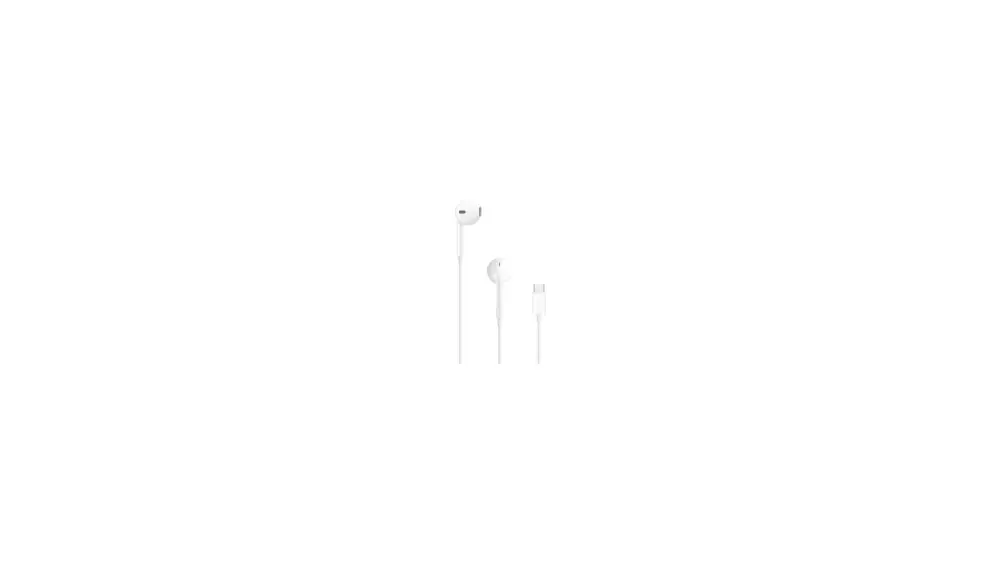
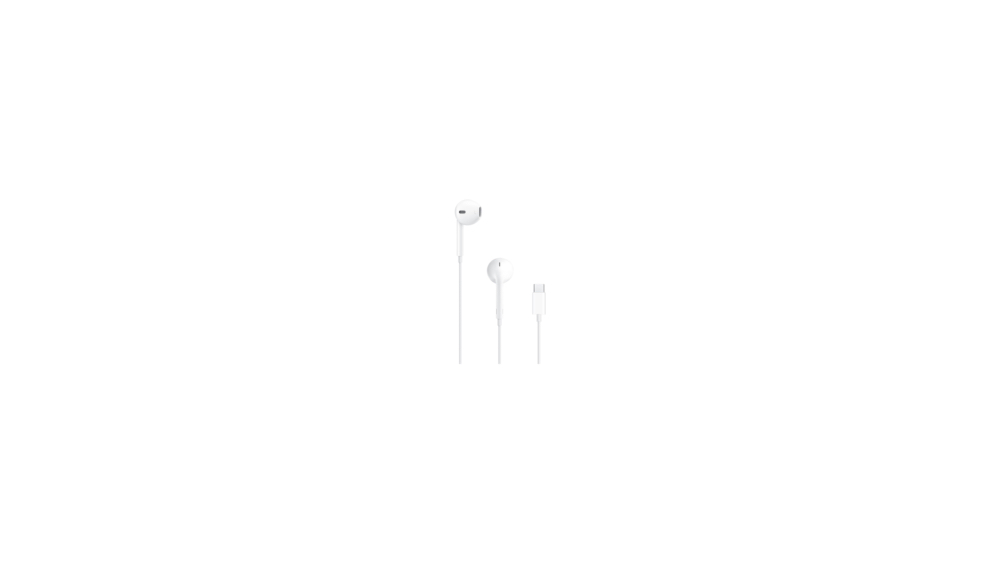
To address this challenge, audio engineer and technology journalist Allan Tépper has evaluated an ultra-low-budget, high-efficiency workflow designed specifically for remote audio guests. By pairing the $19 (or €19) Apple wired USB-C EarPods with Descript’s AI-powered Studio Sound in post-production, content creators can achieve broadcast-quality results without requiring technical configuration from their guests.
This workflow relies on three core pillars:
- Hardware Simplicity: A highly accessible, plug-and-play USB-C device with an integrated 48-kHz/24-bit analog-to-digital converter (ADC).
- Foolproof Microphone Technique: A fixed physical distance between the capsule and the speaker’s mouth that eliminates the variable of poor user positioning.
- Generative AI Restoration: Leveraging Descript’s deep-learning algorithms to reconstruct compressed or acoustically compromised audio into a clean studio profile.
This article examines the technical specifications of this setup, outlines step-by-step configuration playbooks for both macOS and Windows, and details the strategic post-production methodologies required to optimize this $19 solution.
Detailed Chronology: The Evolution of Remote Audio Workflows
The quest for clean remote audio has evolved through several distinct phases over the past two decades, characterized by a constant tension between audio fidelity and guest convenience.
+-----------------------------------------------------------------------------------+
|                                 HISTORICAL TIMELINE                               |
+-----------------------------------------------------------------------------------+
|  Early 2000s: POTS & Early VoIP                                                   |
|  - Highly compressed, low-bandwidth telephone lines (300 Hz - 3.4 kHz).           |
|  - Introduction of early Skype codecs; prone to packet loss and jitter.           |
+-----------------------------------------------------------------------------------+
|  2010s: The "Double-Ender" Era                                                    |
|  - Guests recorded local audio on USB mics (e.g., Blue Yeti) or smartphones.      |
|  - Required manual file transfer and synchronization in post-production.          |
|  - High rate of user error (unselected inputs, room echo, improper mic distance). |
+-----------------------------------------------------------------------------------+
|  Late 2010s: Browser-Based Double-Enders                                          |
|  - Platforms like Cleanfeed, SquadCast, and StreamYard automated local recording.  |
|  - Solved sync issues but remained vulnerable to poor room acoustics and clipping.|
+-----------------------------------------------------------------------------------+
|  Present: The Hybrid Hardware-AI Paradigm                                         |
|  - Shift toward ultra-simple guest hardware (Apple USB-C EarPods).                |
|  - Generative AI (Descript Studio Sound) reconstructs audio in post-production.     |
+-----------------------------------------------------------------------------------+
The Friction of High-End Guest Kits
For years, the industry standard for securing high-quality remote audio was the "guest kit." Producers would ship a pelican case containing a dynamic USB microphone (such as the Shure MV7 or Samson Q2U), a desktop stand, a foam windscreen, and closed-back monitoring headphones to their guests.
While effective in theory, this approach introduced significant points of failure:
- Logistical Costs: Shipping, tracking, and insuring physical gear across international borders is cost-prohibitive for many indie productions.
- The Complexity Barrier: Non-technical guests frequently plug the microphone in but fail to select it as the active input device in their browser, defaulting instead to their laptop’s internal pinhole microphone.
- Microphone Technique Degradation: Even when properly configured, guests often drift away from the microphone during long conversations, resulting in fluctuating gain levels and increased room reverberation.
The Return of the Wire
While consumer trends have shifted toward wireless Bluetooth earbuds like AirPods, professional audio producers have resisted this transition due to latency, battery degradation, and the heavy data compression inherent in Bluetooth profiles (such as HFP/HSP). The release of the wired USB-C EarPods by Apple offers a return to physical reliability, combining an affordable analog capsule with modern digital connectivity.
Supporting Context & Technical Metrics
To understand why the $19 Apple USB-C EarPods outperform many generic USB headsets, we must look at the internal component architecture and the physics of the capsule placement.
+-------------------------------------------------------------------+
|                     APPLE USB-C EARPODS ARCHITECTURE              |
+-------------------------------------------------------------------+
|  [Analog Capsule] ---> [Inline Remote/Mic]                        |
|                              |                                    |
|                      (Analog Signal)                              |
|                              v                                    |
|  [USB-C Connector] --> [Built-in DAC/ADC Chipset]                 |
|                              |                                    |
|                        (48 kHz/24-bit Digital)                    |
|                              v                                    |
|  [Host Device] <------ [USB-C Interface]                          |
+-------------------------------------------------------------------+
Integrated DAC/ADC Architecture
Unlike traditional 3.5mm analog connections—which rely on the host computer’s internal, often noisy soundcard—the USB-C EarPods house a dedicated digital-to-analog converter (DAC) and analog-to-digital converter (ADC) directly inside the USB-C connector housing.
This chip supports a native 48-kHz sampling rate at 24-bit depth. This is a critical metric for several reasons:
- The 48-kHz Standard: Promoted by the 48kHz Alliance, 48 kHz is the professional standard for video and television production, ensuring seamless clock synchronization and preventing the resampling artifacts that can occur when 44.1 kHz audio is brought into a video timeline.
- 24-Bit Dynamic Range: A 24-bit depth provides a theoretical dynamic range of 144 dB. This offers substantial headroom in post-production, allowing quiet guest recordings to be boosted without raising the digital noise floor.
Physics of the Fixed Capsule
The Apple EarPods feature an inline microphone integrated into the right-earbud cable. When worn correctly, this design positions the omnidirectional microphone capsule roughly 2 to 3 inches from the speaker’s jawline.
This fixed distance provides a distinct physical advantage:
$$textSound Intensity propto frac1d^2$$
Because the distance ($d$) between the speaker’s mouth and the microphone remains virtually constant throughout the session, the inverse-square law of sound propagation works in the producer’s favor. The signal-to-noise ratio (SNR) and the ratio of direct-to-reverberant sound remain completely stable, even if the guest shifts in their chair or turns their head.
The only instruction the producer must give the guest is: "Do not touch the microphone capsule or the cable during the entire recording." This eliminates handling noise and prevents friction against clothing.
AI Reconstruction: How Descript Studio Sound Operates
Even with a stable physical signal, an untreated room will introduce reflections (reverb), and an omnidirectional capsule will pick up ambient system noise (such as computer fans or air conditioning). This is where Descript’s Studio Sound algorithm comes in.
Unlike traditional audio restoration tools—which use static expanders, noise gates, and surgical equalizers—Studio Sound utilizes a generative neural network. The model analyzes the input voice, strips away room reflections and background noise, and then reconstructs the missing frequencies based on a deep-learning model trained on high-end studio recordings.
+------------------+     +-------------------+     +------------------+
|  Raw Input       |     |  AI Model         |     |  Reconstructed   |
|  - Room Echo     | --> |  - Strips Reverb  | --> |  Studio Voice    |
|  - Fan Noise     |     |  - Rebuilds Highs |     |  - Clean Profile |
|  - Mid-Range Bias|     |  - Restores Lows  |     |  - Balanced Gain |
+------------------+     +-------------------+     +------------------+
In Allan Tépper’s real-world testing, applying Studio Sound at a 77% intensity setting yielded the optimal balance between aggressive noise removal and the preservation of natural vocal inflections, avoiding the "watery" or phase-cancelled artifacts common in over-processed audio.
Operational Playbook: Configuration & Best Practices
To successfully deploy the Apple USB-C EarPods in a remote recording session, producers must guide their guests through specific software and operating system configurations.
1. Deactivating Echo Cancellation
Most browser-based recording platforms (such as Cleanfeed, Descript Rooms, Ecamm Pro, StreamYard, and SquadCast) employ aggressive Acoustic Echo Cancellation (AEC) by default. AEC is designed to prevent feedback loops when a user utilizes open-air speakers and a built-in microphone. However, AEC severely degrades vocal quality by introducing comb filtering, phase cancellation, and aggressive gating.
- The Rule: The guest must wear the EarPods. By monitoring through the physical earbuds, there is no open-air speaker playback for the microphone to pick up.
- The Action: The producer or guest must explicitly select "I am using headphones" within the platform’s settings panel. This action deactivates the platform’s native AEC, allowing the clean, uncompressed microphone feed to pass through to the recorder.
2. Operating System Sampling Configurations
While mobile operating systems (iOS, iPadOS, Android, and ChromeOS) automatically default USB-C audio devices to their native 48 kHz sampling rate, desktop operating systems often require manual intervention to prevent automatic downsampling to 44.1 kHz.
For macOS Guests:
- Open the Audio MIDI Setup application (found in
/Applications/Utilities/). - Select the External Microphone (Apple USB-C EarPods) from the left-hand device list.
- Under the Format dropdown menu, select 48,000 Hz (48.0 kHz) and 2-ch 24-bit Integer.
- Repeat this process for the External Headphones (Apple USB-C EarPods) output device to ensure both input and output are clocked at 48 kHz.
+-------------------------------------------------------------+
| Audio MIDI Setup (macOS)                                    |
+-------------------------------------------------------------+
|  Devices:                                                   |
|  [x] External Microphone (EarPods)  --> Format: [48,000.0 Hz] |
|  [x] External Headphones (EarPods)  --> Format: [48,000.0 Hz] |
+-------------------------------------------------------------+
For Windows Guests:
- Open the Sound Control Panel (accessible via
mmsys.cplin the Run dialog). - Navigate to the Recording tab, locate the USB-C EarPods headset microphone, right-click, and select Properties.
- Under the Advanced tab, navigate to the Default Format dropdown and select Channel 1, 24-bit, 48000 Hz (Studio Quality).
- Click Apply, then navigate to the Playback tab and repeat the process for the EarPods output properties to lock the sample rate.
+-------------------------------------------------------------+
| Sound Control Panel (Windows)                               |
+-------------------------------------------------------------+
|  Headset Properties -> Advanced                             |
|  Default Format: [1 Channel, 24-bit, 48000 Hz (Studio Quality)] |
+-------------------------------------------------------------+
3. Monitoring Volume and Crosstalk Mitigation
Because the EarPods are non-isolating, open-air earbuds, high monitoring volumes can cause sound to bleed from the earbud shell back into the inline microphone capsule.
To prevent this crosstalk:
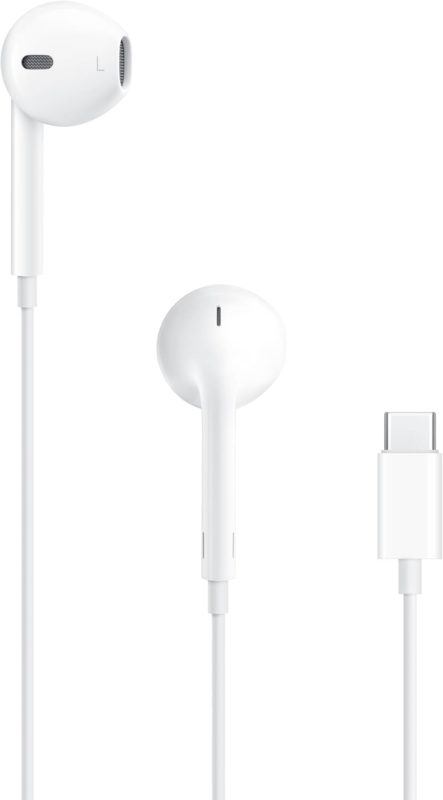
- Instruct the guest to use the inline volume controller on the EarPods cable to lower the incoming monitoring volume to the lowest comfortable level.
- Ensure this level is set and locked before the recording starts to avoid any physical handling noise during the session.
Industry Perspectives & Official Statements
The intersection of accessible hardware and artificial intelligence has sparked widespread discussion among audio engineers, software developers, and industry veterans.
Allan Tépper, Audio Journalist and Consultant
In his evaluation of the $19 Apple USB-C EarPods, Allan Tépper clarifies the target demographic for this workflow:
"I do not recommend the US$19 (or €19) Apple wired USB-C EarPods for serious creators who have the knowledge, budget, and discipline to use a studio microphone, windscreen or pop-filter, shockmount, boom/stand, potential audio interface, isolating headphones, and maintain ideal distance throughout a recording. I do recommend [them] for certain remote audio guests… but only by following the instructions and best practices."
Tépper emphasizes that this setup is not a replacement for a professional studio setup, but rather a reliable baseline for guests who would otherwise record using low-quality laptop microphones or poorly configured USB gear.
Platform and AI Developers
Developers of remote recording platforms like SquadCast and Descript have long noted that the biggest threat to remote audio quality is not data compression, but rather user error and acoustic environment issues. AI post-processing tools like Descript’s Studio Sound are specifically engineered to bridge this gap, allowing producers to salvage recordings that would have previously been unusable for professional release.
Future Outlook: The Democratization of Broadcast Audio
The combination of affordable digital hardware and generative post-production tools signals a major shift in how digital media is produced. As neural networks and digital signal processing continue to advance, the technical barriers to entry for remote broadcasting are falling.
+-------------------------------------------------------------------------+
|                        THE FUTURE OF REMOTE AUDIO                       |
+-------------------------------------------------------------------------+
|  [Standardized USB-C Hardware]                                          |
|  - Global adoption of USB-C ensures plug-and-play compatibility.        |
|  - Built-in 48 kHz DACs become standard in entry-level consumer gear.   |
|                                v                                        |
|  [Generative AI Post-Production]                                        |
|  - Neural networks reconstruct vocal frequencies with high precision.   |
|  - Less reliance on physical acoustic treatment for remote guests.      |
|                                v                                        |
|  [Democratic Media Ecosystem]                                           |
|  - High-quality audio output no longer restricted by technical skill.   |
|  - Production costs drop; global reach increases.                       |
+-------------------------------------------------------------------------+
1. Ubiquitous USB-C Standards
With the European Union mandating USB-C as the universal charging and data port, and Apple transitioning its entire product line (including the iPhone 15 series and newer) away from the proprietary Lightning connector, the USB-C EarPod has become a universally compatible device. This standard ensures that whether a guest is joining from an Android phone, an iPad, a Chromebook, a macOS workstation, or a Windows laptop, they can use the exact same high-quality digital connection.
2. The Evolution of Generative Audio Repair
As machine learning models improve, AI-based audio restoration will become even more precise. Future iterations of tools like Descript Studio Sound will likely run in real-time with zero latency, processing audio directly on the host device before it is even transmitted to the recording platform. This will reduce the need for heavy manual post-production and make high-quality remote setups even easier to manage.
3. Redefining the "Professional" Studio
The definition of professional-grade audio is shifting away from purely hardware-based solutions. While high-end physical studios with treated walls and classic tube microphones will always remain the gold standard for music production and high-budget voiceover work, spoken-word journalism, podcasts, and corporate communications are embracing a hybrid model.
By leveraging the physics of consistent, close-mic placement using affordable hardware like the $19 Apple USB-C EarPods, and combining it with advanced AI reconstruction, producers can reliably capture clear, professional, and accessible audio from anyone, anywhere in the world.