







Executive Overview
Database corruption remains one of the most insidious threats to modern enterprise infrastructure. When a Microsoft SQL Server database refuses to mount, transitioning into a SUSPECT or RECOVERY_PENDING state following an abrupt system reboot, storage controller fault, or fatal I/O error, the immediate cost to business operations can be catastrophic. While native diagnostic and remediation utilities—most notably DBCC CHECKDB—serve as the first line of defense for database administrators (DBAs), their aggressive structural repair mechanisms frequently introduce an unacceptable side effect: the permanent purging of damaged data pages to achieve structural consistency.
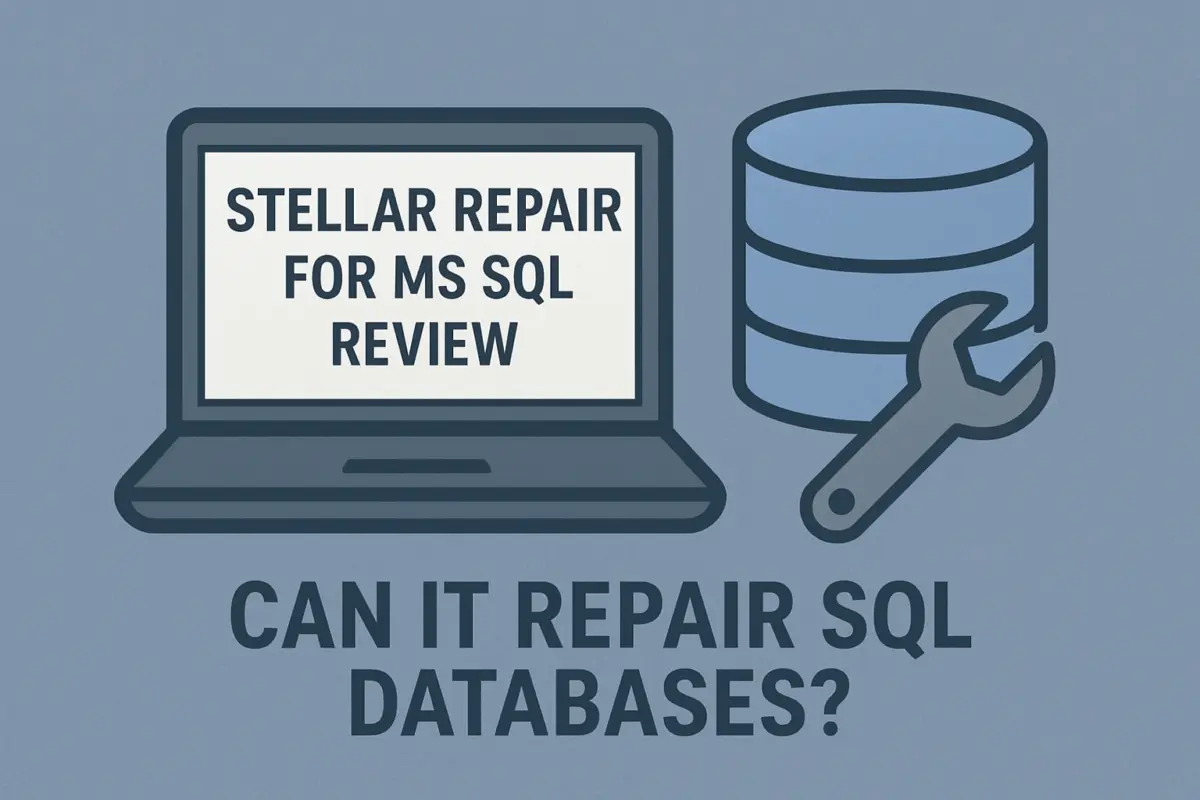
When verified, up-to-date backups are absent, incomplete, or corrupted, DBAs find themselves facing an agonizing choice between structural integrity and irretrievable data loss. It is within this high-stakes operational vacuum that specialized third-party recovery software becomes vital. Tools such as Stellar Repair for MS SQL occupy a critical niche in enterprise data disaster management. Designed to bypass the native SQL Server database engine during initial ingestion, these applications directly parse primary data files (.mdf) and secondary data files (.ndf), reconstructing tables, indexes, stored procedures, and triggers without immediately invoking destructive database commands.
This comprehensive report explores the underlying mechanics of SQL Server corruption, evaluates the features, pricing tiers, and workflows of specialized recovery utilities, and provides authoritative guidance on risk management, compliance, and disaster recovery planning for enterprise IT teams.
Detailed Chronology: Anatomy of a SQL Server Failure and Recovery
To understand the utility of advanced third-party repair tools, one must trace the chronological sequence of events that typically leads to database disaster and the subsequent operational triage required to resolve it.
Phase 1: The Inciting Incident and State Transition
The crisis usually begins silently or with sudden violence. An enterprise storage array experiences a micro-outage, an underlying VM host loses power abruptly, or a localized file system error disrupts a write operation mid-transaction. When the SQL Server instance attempts to restart and perform crash recovery during initialization, it evaluates the transaction log and data pages. If file headers are corrupted or page checksums fail, the database engine halts the recovery sequence to protect against further corruption.
The database is flagged as SUSPECT or RECOVERY_PENDING. At this stage, standard T-SQL connections are refused, and dependent applications immediately throw connection timeouts or fatal database errors.
Phase 2: Native Triage and the DBCC CHECKDB Dilemma
Upon discovering the failure, the DBA’s standard operating procedure dictates checking the SQL Server error logs and executing diagnostic commands.
- Running
DBCC CHECKDB ('DatabaseName')confirms the scope of the corruption, detailing allocation and structural integrity errors. - When presented with minor corruption, DBAs will attempt repair clauses such as
REPAIR_ALLOW_DATA_LOSS.
However, as the name implies, this command forces consistency by dropping corrupted pages, tables, or index rows. For organizations where every single transaction carries severe financial or regulatory weight, dropping data is a non-starter. Furthermore, if the database file headers are so severely damaged that the SQL Server engine cannot even attach the files to run DBCC CHECKDB, native tools become entirely ineffective.
Phase 3: Transitioning to Specialized Third-Party Recovery
When native utilities are stalled or threaten data destruction, administrators turn to specialized extraction frameworks like Stellar Repair for MS SQL. Operating outside the bounds of the running SQL Server service, the software ingests the raw .mdf or .ndf files directly from disk.
By bypassing the database engine’s strict mounting requirements, the utility traverses the binary architecture of the files, parsing page maps, rows, and schema definitions. It compiles an internal virtual catalog of the recoverable items, presenting them to the administrator through a graphical user interface long before any data is written back to a live environment.
Phase 4: Granular Preview, Export, and Validation
Rather than forcing an all-or-nothing restoration, modern recovery software allows DBAs to inspect individual tables, views, stored procedures, functions, triggers, and foreign keys. Administrators can verify that critical business data—such as recent ledger entries or customer records—remains intact within the preview pane.
Once verified, the software exports the recovered objects directly to a brand-new, healthy SQL Server database, a live SQL instance, or alternative formats such as CSV, HTML, or XLS. The DBA then runs post-export validation scripts, reconciles foreign key constraints, and brings the application stack back online.
Supporting Context & Metrics: The Modern Landscape of Data Outages
The necessity for robust disaster recovery tools cannot be overstated in an era where digital operations run around the clock. Hardware resilience has improved dramatically, yet systemic operational disruptions remain remarkably common.
According to comprehensive research published in the Uptime Institute’s 2025 Annual Survey Report, data center reliability continues to face severe challenges. Most notably, 50% of data center operators reported experiencing at least one impactful outage during the preceding three years. These incidents stem from a complex web of failures, including uninterruptible power supply (UPS) anomalies, cooling system failures, human configuration errors, and persistent storage subsystem degradation.
+--------------------------------------------------------------------------+
|          Uptime Institute 2025 Annual Survey Insight                     |
|                                                                          |
|   [████████████████████████████████████████████████] 50%                 |
|                                                                          |
|   Percentage of data center operators reporting at least one             |
|   impactful outage over a rolling three-year window.                     |
+--------------------------------------------------------------------------+
When an infrastructure-level outage cascades down to the storage tier, enterprise databases are frequently the primary casualty. In environments where high availability (HA) clusters or Always On Availability Groups experience split-brain scenarios or simultaneous node corruption, traditional backups become the ultimate safety net.
However, backup verification failures—where backups run successfully every night but have never been systematically test-restored—frequently turn minor hardware glitches into enterprise-shattering crises. Specialized SQL recovery software bridges this exact operational gap, serving as an emergency extraction tool when both live storage and primary backup archives fail integrity checks.
Feature Deep Dive: Capabilities, Editions, and Workflows
Understanding the technical scope of tools like Stellar Repair for MS SQL requires a granular look at how they address specific database failure scenarios across their tiered product lineup.
Software Architecture and Core Scanning Mechanics
The application is engineered to handle severe file-level trauma, including:
- Storage Write Failures: Incomplete page flushes that leave fragmented transaction boundaries.
- Corrupt File Headers: Incidents where the internal metadata page (Page 0) of the MDF file is overwritten or zeroed out.
- Abrupt Reboots: Orphaned transactions and uncommitted log states locking the database in perpetual recovery states.
During the scan phase, the software reads structural pages, isolates table allocation units, and reconstructs schemas. System tables, user-defined data types, and complex relationships are systematically mapped to ensure that structural integrity is preserved as closely as possible during export.
Tiered Product Editions
Stellar structures its offerings into three distinct licensing tiers, tailored to progressively complex recovery challenges:
| Edition | Annual Price (USD) | Primary Focus & Target Use Case |
|---|---|---|
| Corporate | $299 | Focused exclusively on repairing severely damaged primary (.mdf) and secondary (.ndf) database files. Ideal for standard disk corruption scenarios. |
| Technician | $399 | Expands functionality to process corrupt Microsoft SQL Server backup files (.BAK). Essential when both the active database and its corresponding archive copies are compromised. |
| Toolkit | $499 | The comprehensive enterprise suite. Adds advanced transaction-log (.ldf) analysis and multi-format database conversion capabilities for deep forensic recovery. |
Price Scaling by Edition:
Corporate   [$299] ====================
Technician  [$399] ==========================
Toolkit     [$499] ================================
The Four-Stage Recovery Workflow
- Selection: The user browses the local file system or network shares to select the damaged
.mdfor.ndffile. - Scanning: The application performs a deep sector-by-sector analysis of the file, identifying salvageable data structures and logging progress in real time.
- Previewing: A multi-pane GUI displays recovered database objects, allowing administrators to inspect tables, stored procedures, and records before committing to an export.
- Saving: The user chooses the export destination—either a new live SQL database instance or an independent file format—completing the restoration.
Online Repair vs. Local Infrastructure
For scenarios where a local diagnostic workstation with Microsoft SQL Server installed is unavailable, Stellar provides an online repair service. Administrators can upload an MDF file securely via a web browser for initial assessment.
As of August 2026, this online utility supports files up to 500 MB in size. While highly convenient for diagnosing small databases or extracting quick recovery samples, enterprise architects must exercise extreme caution. Uploading production-grade MDF files containing sensitive financial, medical, or personally identifiable information (PII) to an external web service may violate stringent corporate security policies, compliance mandates (such as GDPR, HIPAA, or PCI-DSS), and data residency laws. For large or sensitive datasets, local execution on an air-gapped forensic workstation remains the mandatory protocol.
Official Guidelines, Compatibility, and Deployment Best Practices
Deploying third-party recovery utilities within a corporate IT environment demands rigorous adherence to software compatibility matrices and security protocols.
Version and OS Compatibility
As of August 2026, enterprise recovery tools must support a broad spectrum of legacy and modern database estates. Stellar Repair for MS SQL maintains native compatibility across databases generated in:
- Microsoft SQL Server 2025
- Microsoft SQL Server 2022
- Microsoft SQL Server 2019
- Legacy Releases (SQL Server 2017, 2016, 2014, 2012, and earlier)
Furthermore, the application is engineered to operate across both Windows and Linux server environments, accommodating mixed enterprise infrastructures where legacy database silos coexist with modern containerized or cloud-hosted deployments.
Evaluating Risk via Free Trials
Procurement and database teams should never purchase recovery software blindly. Stellar provides a fully functional free trial edition that enables administrators to execute deep scans against a damaged database file and thoroughly preview all recoverable objects.
While the trial version intentionally restricts the final export phase, it provides definitive proof of whether the specific business-critical tables, rows, and stored procedures required by the organization can actually be salvaged. This eliminates financial and operational guesswork before committing capital to a Corporate, Technician, or Toolkit license.
Future Outlook: The Evolution of Database Resilience
Looking ahead, the disciplines of database administration and disaster recovery are undergoing a profound transformation. As organizations migrate increasingly complex workloads to hybrid cloud environments and managed database-as-a-service (DBaaS) models, the nature of database corruption is shifting.
The Shift Toward Automated Cloud Resilience
Traditional file-level corruption caused by physical storage controller failures is gradually declining in hyper-scale cloud environments (such as Azure SQL Database and Amazon RDS), where underlying storage layers utilize distributed, self-healing replication blocks with automatic checksum verification. However, application-level corruption—such as cascading logical errors introduced by faulty microservice updates, rogue batch scripts, or botched database migrations—continues to plague modern architectures.
In response, the next generation of recovery tools is moving beyond static MDF file parsing. Future iterations of database repair software are expected to incorporate AI-driven anomaly detection and automated transaction-log forensics, enabling systems to intelligently reconstruct logical state anomalies without manual DBA intervention. Furthermore, integration with immutable cloud object storage and zero-trust backup validation pipelines will redefine how enterprises test and verify recovery readiness.
Strategic Recommendations for IT Leaders
To ensure long-term data resilience, IT directors and chief information security officers (CISOs) must implement a multi-layered defense strategy:
- Prioritize Native Backups: Specialized recovery software must always be viewed as a tool of last resort. Regular, automated, and—most importantly—test-restored backups in isolated staging environments remain the only absolute guarantee of data integrity.
- Enforce Strict Change Management: Mitigate logical corruption risks by running rigorous pre-deployment testing for all schema migrations and stored procedure updates.
- Maintain Software Readiness: Keep emergency disaster recovery software licenses or evaluation media pre-approved and pre-vested within your IT asset inventory. When an unexpected
SUSPECTdatabase state halts operations, minutes matter; establishing procurement and security clearances during an outage is an avoidable operational failure. - Isolate Forensic Workstations: When utilizing third-party repair tools or cloud diagnostic uploads, strictly adhere to data classification policies. Ensure that sensitive customer data is never exposed to unauthorized external endpoints.
By combining proactive backup hygiene, disciplined administrative oversight, and enterprise-grade specialized recovery tools in reserve, organizations can build a resilient data infrastructure capable of surviving even the most severe systemic catastrophic failures.