








Executive Overview
In the rapidly evolving landscape of entry-level mobile computing, the release of a $599 baseline machine often triggers cascading shifts across the entire PC ecosystem. When Apple introduced the MacBook Neo, industry insiders anticipated a structural realignment. While the Neo possessed distinct shortcomings when weighed against its higher-end sibling, the MacBook Air, its arrival signaled a long-overdue challenge to mainstream PC manufacturers. It forced them to reconsider their baseline expectations for keyboards, panel quality, and general assembly integrity at a sub-$600 price point.
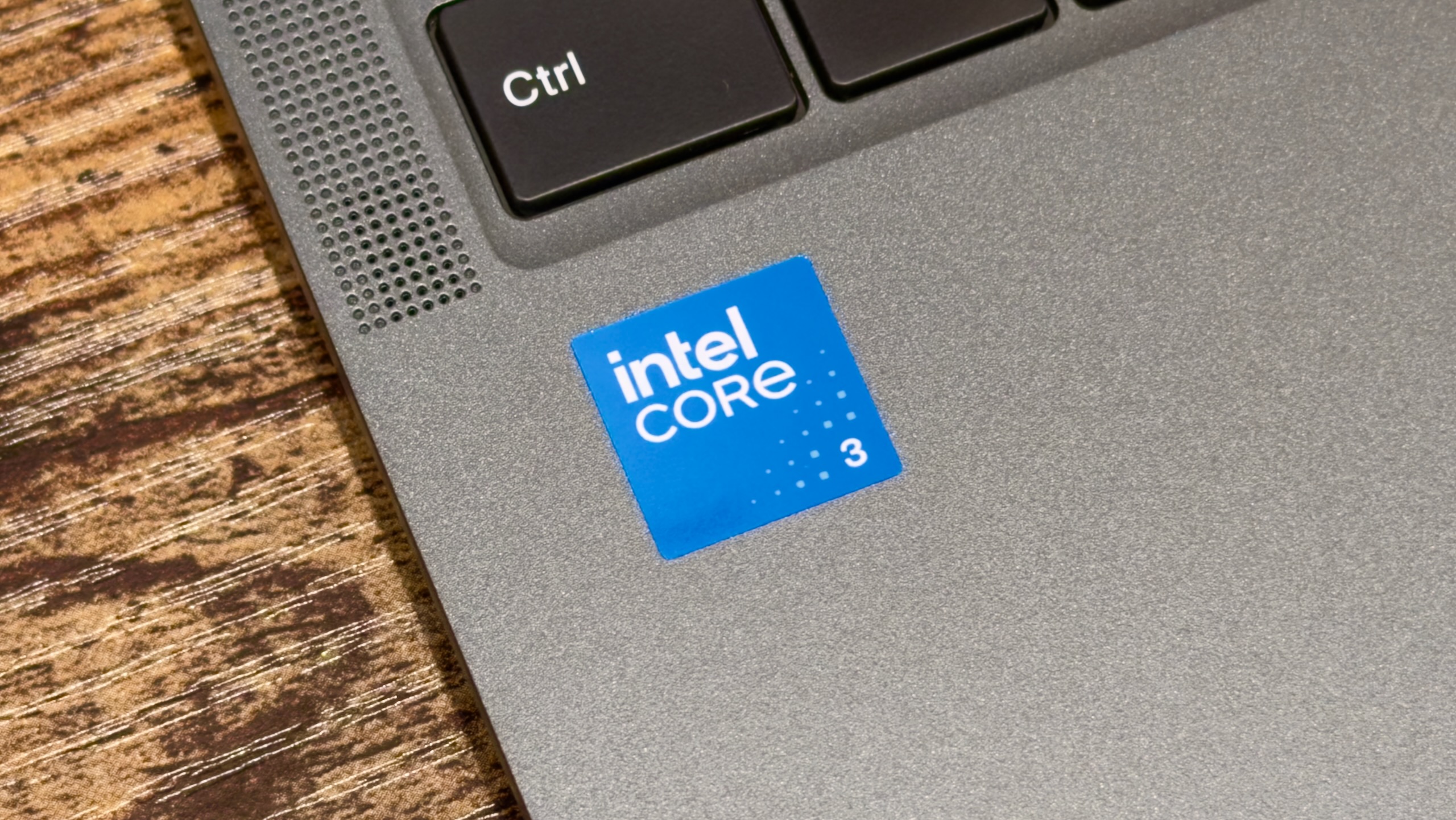
Reacting to this shifting market dynamic, legacy PC vendors—including Dell, Acer, Asus, and Lenovo—scrambled to assemble competitive responses. Their efforts were bolstered by Intel’s introduction of genuinely new silicon for the budget sector: the non-Ultra Core Series 3 processors, widely known by the codename Wildcat Lake. Eschewing the industry’s long-standing habit of recycling and relabeling aging, high-end components to serve lower-tier markets, Intel manufactured a fresh line of lower-end, lower-performance processors built upon the same architectural building blocks and advanced nodes as its flagship silicon.
Yet, even as major PC makers attempted to bridge the price-to-performance gap, economic pressures intervened. Within three months of its debut, Apple adjusted the pricing of the MacBook Neo upward by $100, breaking the illusion of an easily accessible entry-level luxury device. In a market besieged by climbing memory costs and tightening component supplies, finding a laptop that balances competent performance, durable construction, and acceptable ergonomics for under $500 has become a formidable challenge.
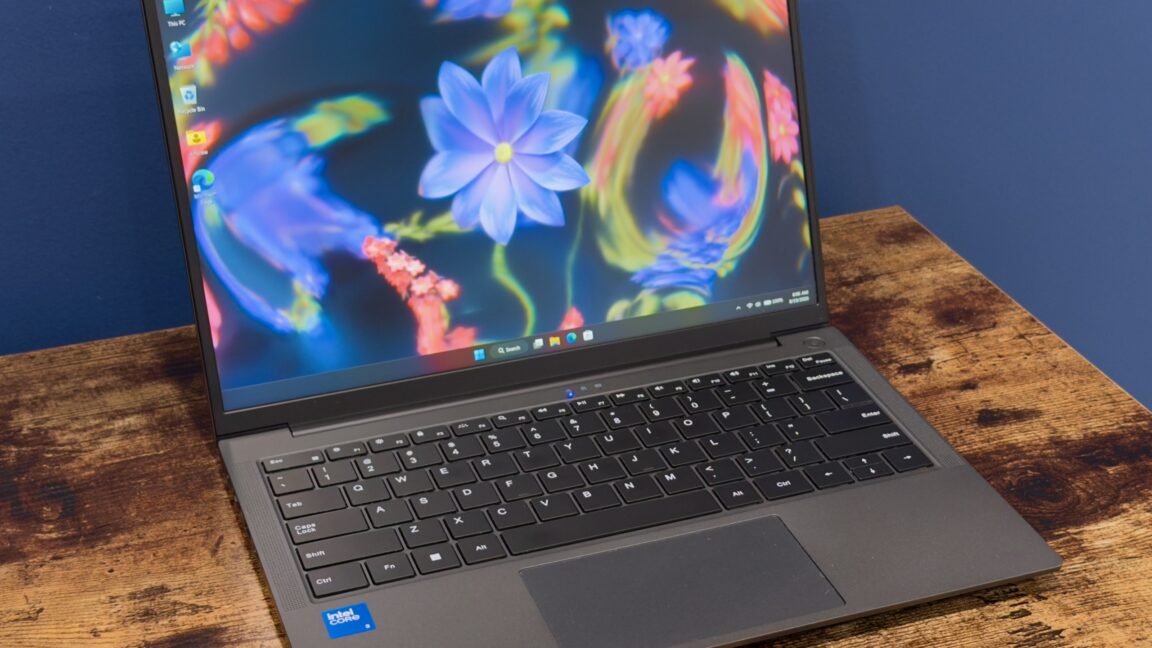
Enter Chuwi. The Chinese PC manufacturer has carved out a niche by undercut-ting mainstream competitors with the Unibook—a Wildcat Lake-powered machine featuring 8GB of RAM and a 256GB solid-state drive, debuting at an aggressive promotional price of $449 (with a listed standard price of $569). On paper, the Unibook presents a compelling value proposition. In practice, however, it serves as a sobering reminder of the adage that you get precisely what you pay for. While it offers a fascinating glimpse into the potential of Intel’s budget-friendly silicon, recommending it as a primary device requires a heavy dose of patience, technical literacy, and a profound tolerance for hardware quirks.
Detailed Chronology & Design Analysis
Look and Feel: Familiar Shell, Mixed Execution
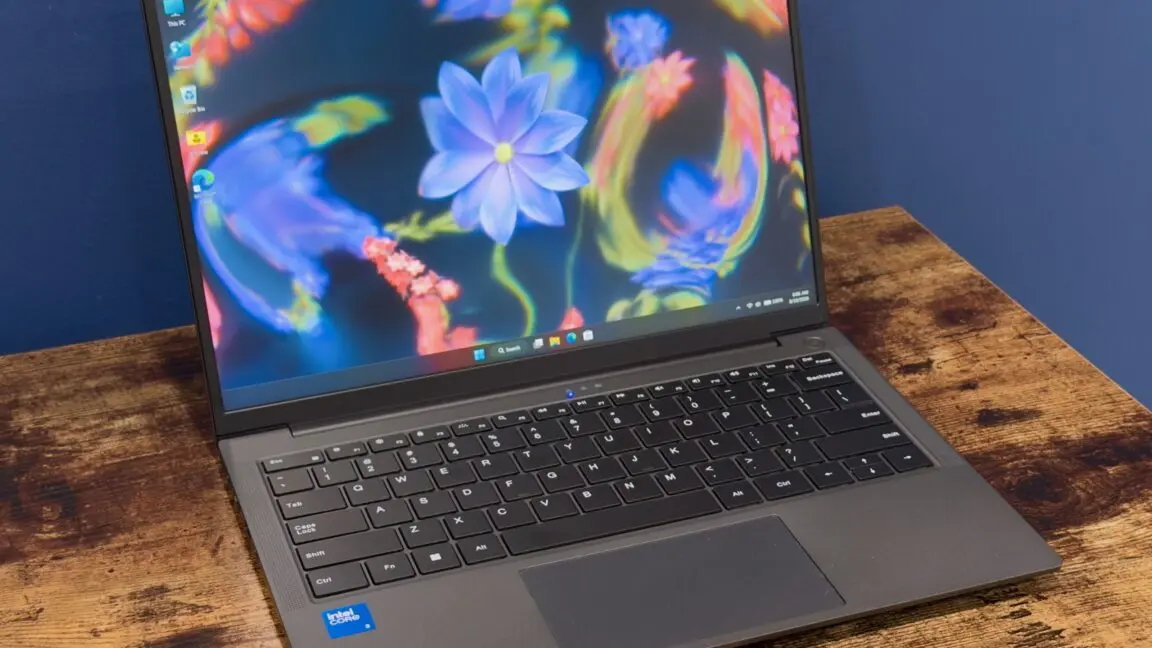
At first glance, the Chuwi Unibook 304 presents an unassuming profile, sitting comfortably within the design lineage of mid-tier ultraportables like the Asus Zenbook. It is a traditional clamshell PC constructed with a down-the-middle aesthetic that refuses to draw unnecessary attention to itself.
Where the Unibook immediately outperforms higher-end alternatives—such as the MacBook Neo or Dell’s latest XPS 13—is in its expansive I/O selection. Modern ultraportables increasingly rely on extreme thinness as justification for a barren port selection, but the Unibook refuses this trend. It arrives equipped with:
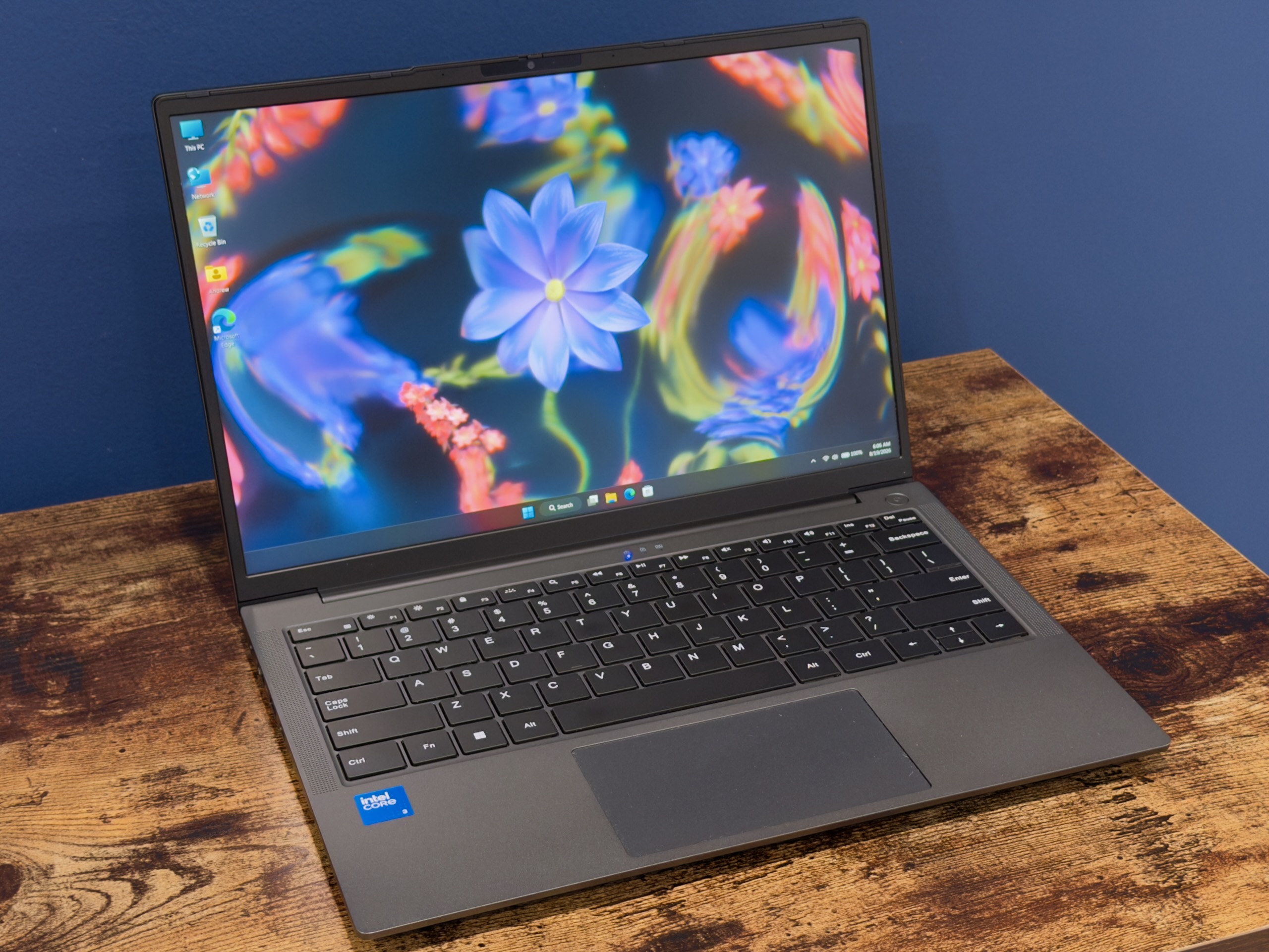
- Two USB-C ports
- A full-size HDMI output
- Two 5Gbps USB-A 3.0 ports
- One legacy USB-2.0 port
- A micro-SD card reader
- A standard 3.5mm headphone jack
- A physical Ethernet port via a folding-out hinge design
While the folding Ethernet mechanism introduces a mechanical point of failure that could loosen over time, its inclusion in a budget-conscious chassis is a welcome nod to functional utility.
Beneath the shell, the Unibook rewards hardware tinkerers. Removing eleven standard Phillips-head screws grants access to an easily liftable bottom panel. Inside, the M.2 2280 storage drive—manufactured by an obscure brand bearing the name "HOGE"—can be swapped out effortlessly for a higher-capacity or more reputable alternative. The Wi-Fi and Bluetooth module is equally accessible, as is the battery, should a user eventually source a replacement.
The Input Dilemma: Good Keys, Awful Trackpad
The typing experience on the Unibook leans heavily into the "serviceable" category. While its keys lack the satisfying, deep tactile resistance found in Apple’s MacBook lineup or Framework’s modular laptops, the action is consistent, and the keyboard backlight is remarkably even. To hit its aggressive price point, the machine cuts a few corners: there is no fingerprint reader, nor is there an infrared face-scanning camera for biometric authentication. This complete absence of biometric login options mirrors the base model of the MacBook Neo, making it an understandable, if disappointing, omission.
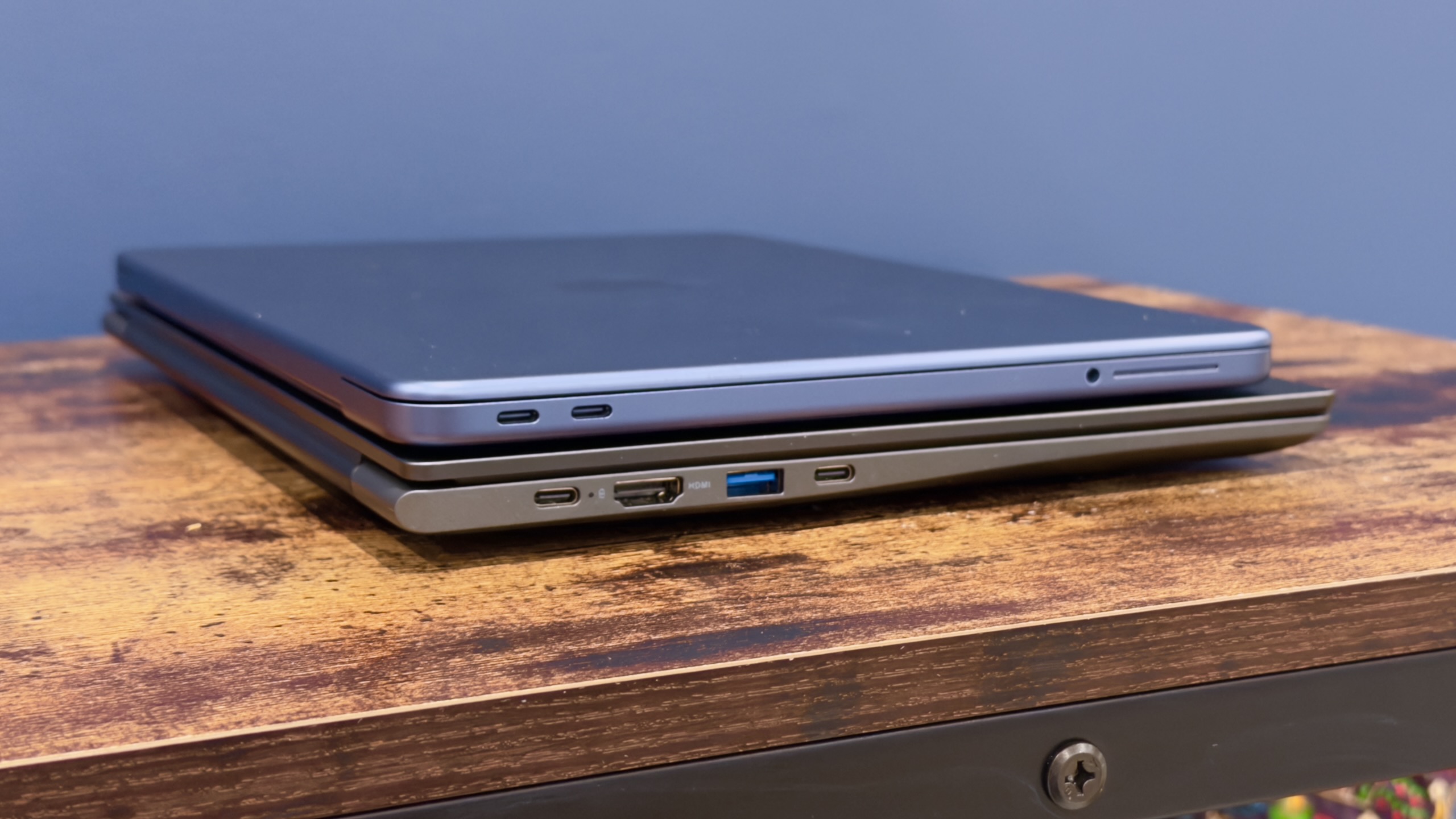
The trackpad, however, represents the single greatest ergonomic failure of the device. While finger tracking is acceptable—a baseline benefit of modern precision trackpad protocols—the physical clicking mechanism is stiff, excessively loud, and difficult to actuate. It is a surface that actively drives users toward tap-to-click functionality, and its poor tactile feedback threatens to undermine the entire user experience.
Supporting Context & Metrics: Display, Software, and Performance
The Display Discrepancy
The Unibook’s 13-inch IPS display features a 1920 x 1200 resolution and a modern 16:10 aspect ratio, representing a welcome departure from the antiquated 16:9 1080p panels still lingering in ultra-budget machines. However, it falls significantly short of premium standards. Colorimeter testing reveals a maximum brightness hovering around 300 nits, accompanied by noticeable backlight bleeding around the panel edges. More critically, the display covers only about 59 percent of the sRGB color gamut. To the naked eye, colors appear visibly washed out and faded, with shades of red and purple suffering the most.
This mediocre screen performance caused considerable confusion following launch, as Chuwi’s marketing materials initially advertised 100 percent sRGB gamut coverage. Weeks later, the company clarified that full sRGB coverage, alongside an upgraded processor core, 12GB of RAM, and a 512GB SSD, is exclusive to a higher-tier variant: the Unibook 315, which carries an anticipated price tag of $599.
Software Anomalies and Driver Support
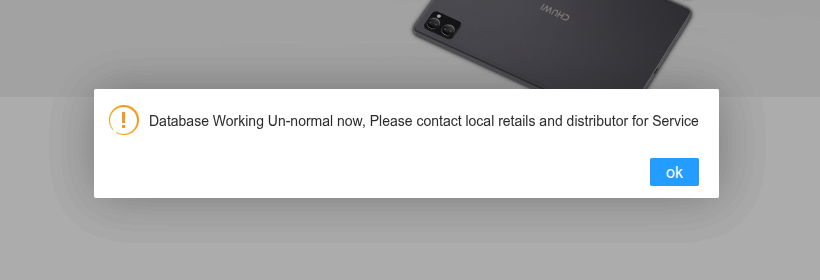
Purchasing a budget PC from a lesser-known manufacturer inherently involves navigating an aftermarket support void. Chuwi’s official driver database remained completely inaccessible—displaying the peculiar error message "Working Un-normal"—throughout weeks of testing.
Out of the box, the review unit presented several curious software artifacts, including a desktop shortcut pointing to a legacy Windows 7 Control Panel applet and a pre-installed Microsoft Office 2024 suite. Investigation revealed the Office installation relied on a generic third-party activation script rather than a legitimate bundled license. Furthermore, the system arrived populated with extraneous Windows features absent from a clean installation, such as a non-functional "Mobile Plans" application and the obscure utility "Microsoft PC Manager," which features clunky, auto-translated interface text.
Reinstalling Windows 11 on the Unibook proved exceptionally challenging. Because Wildcat Lake silicon is so new, Windows Update lacks out-of-the-box driver packages for the platform. A clean installation stripped away essential hardware drivers, leaving the internal speakers entirely non-functional until a generic Intel Smart Sound Technology Bus controller was manually forced into the system architecture. Similarly, running alternative operating systems like Kubuntu 26.04 LTS introduced persistent audio failures and power-management bugs, such as the laptop failing to enter sleep mode when the lid was closed.
Performance and Battery Benchmarking
Intel’s Wildcat Lake architecture marks a genuine turning point for low-end mobile silicon. Unlike previous generations that relied on warmed-over, rebranded architectures with poor power efficiency, Wildcat Lake utilizes advanced manufacturing nodes shared with higher-end Core Ultra Series 3 processors.
Configured with a single Performance core (P-core) and four Efficient cores (E-cores), the Unibook 304 delivers snappy, responsive performance for routine computing tasks such as web browsing, document editing, and video streaming. It easily outpaces legacy budget chips that rely solely on E-cores.
However, heavy multitasking and complex creative workloads are heavily throttled by the system’s restrictive 8GB of RAM, which prevented intensive benchmarking suites like Cinebench from executing completely. When compared directly against Apple’s A18 Pro chip inside the MacBook Neo, Intel’s silicon falls behind in power efficiency and raw multi-core throughput during demanding operations.
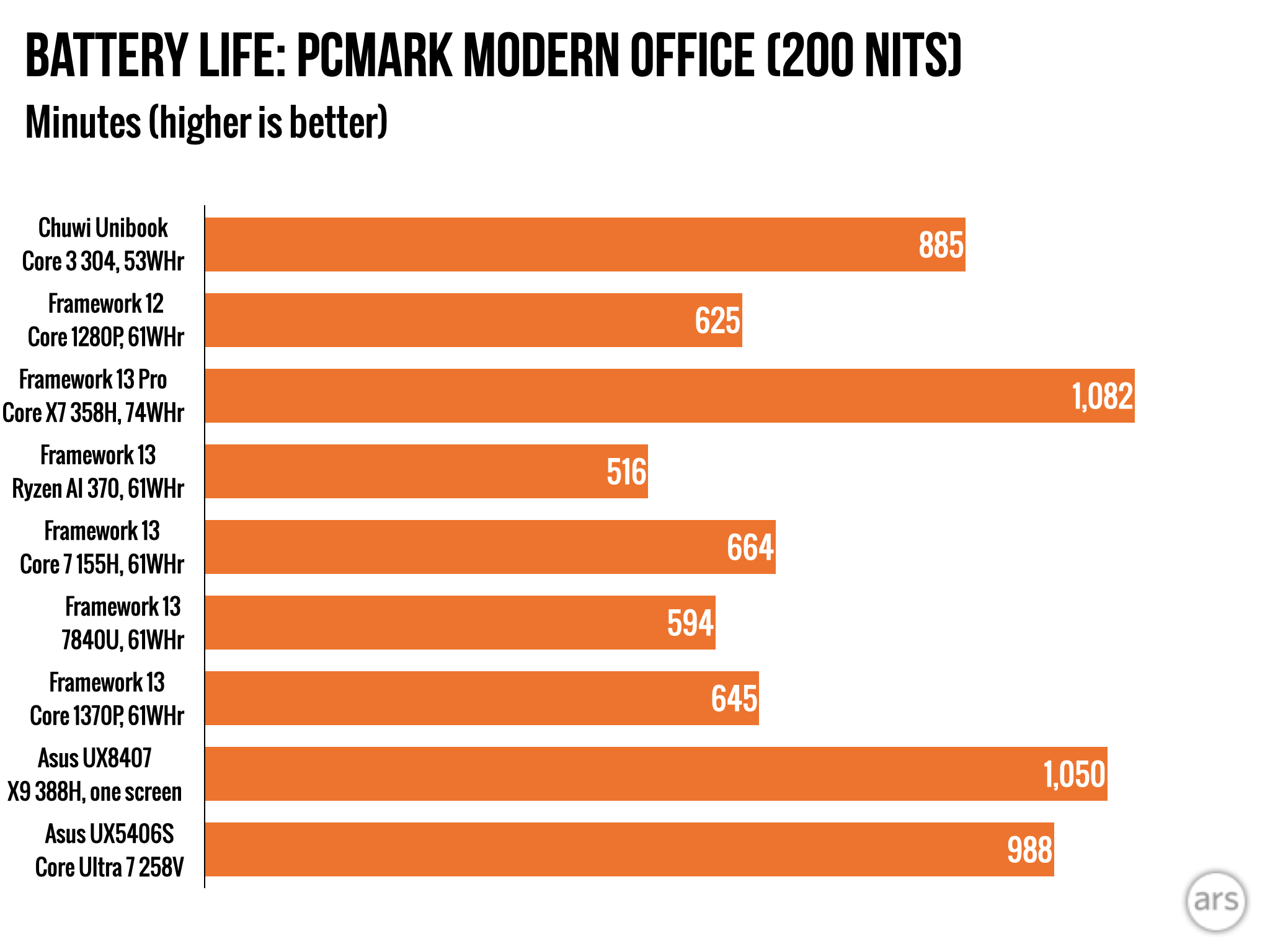
The system’s definitive redeeming quality is its battery longevity. Thanks to the power-efficient design of the Wildcat Lake architecture, the Unibook’s 53 Whr battery achieved nearly 15 hours of continuous runtime during the PCMark Modern Office benchmark test at a calibrated 200 nits of screen brightness. This exceptional metric ensures users can comfortably navigate a full workday away from a wall outlet.
Official Specifications Overview
| Feature | Chuwi Unibook 304 (Tested) | MacBook Neo (Baseline) |
|---|---|---|
| Processor | Intel Core 3 304 (Wildcat Lake) | Apple A18 Pro |
| RAM | 8GB | 8GB / 16GB options |
| Storage | 256GB M.2 2280 SSD | 256GB / 512GB SSD |
| Display | 13-inch IPS (1920 x 1200, 16:10, ~300 nits, ~59% sRGB) | Retina display (~500 nits, 100% sRGB) |
| Ports | 2x USB-C, 2x USB-A 3.0, 1x USB-A 2.0, HDMI, Micro-SD, Audio Jack, Ethernet | Limited USB-C / Thunderbolt configuration |
| Battery Life | ~15 Hours (PCMark Modern Office) | ~14–16 Hours |
| Introductory Price | $449 ($569 standard) | $599 (subsequently adjusted) |
Future Outlook
The Chuwi Unibook occupies a paradoxical space in the modern tech ecosystem. It serves as a fascinating proof-of-concept for Intel’s Wildcat Lake silicon, demonstrating that entry-level processors can finally deliver modern architectural benefits paired with extraordinary battery life. For tech enthusiasts and hobbyists seeking an affordable platform to tinker with, re-engineer, or deploy secondary operating systems upon, the Unibook offers a compelling hardware sandbox.
However, as a daily-driver recommendation for the general public, the device falls short. The combination of an abysmal trackpad, a washed-out display, missing software documentation, and fragile driver support creates too many friction points for an average consumer. While established alternatives like the MacBook Neo or Dell XPS command a financial premium, they provide the intangible security of reliable customer support, consistent hardware quality control, and predictable software updates.

As the PC market continues to adapt to lingering supply chain costs and memory pricing pressures, manufacturers will inevitably search for new ways to deliver sub-$500 laptops. If the Unibook is any indicator, future budget machines will benefit immensely from efficient modern processors, provided manufacturers are willing to invest equally in display quality, trackpad mechanics, and consumer-facing software infrastructure. Until then, budget shoppers will need to exercise extreme caution before chasing seemingly unbelievable hardware bargains.