









Executive Overview
Database corruption remains one of the most insidious and stressful challenges facing database administrators (DBAs) and IT infrastructure teams. When a Microsoft SQL Server database refuses to mount, entering the dreaded SUSPECT or RECOVERY_PENDING state after an abrupt system reboot, power failure, controller fault, or severe I/O error, time stands still. In an ideal operational paradigm, a clean, tested, and up-to-date backup sits ready for immediate restoration. However, reality is rarely so accommodating. Backup files can turn out to be corrupt, replication lags can expose blind spots, and native diagnostic tools like DBCC CHECKDB—while powerful—frequently demand an unpalatable compromise: stripping away damaged data pages to force structural integrity, resulting in permanent data loss.
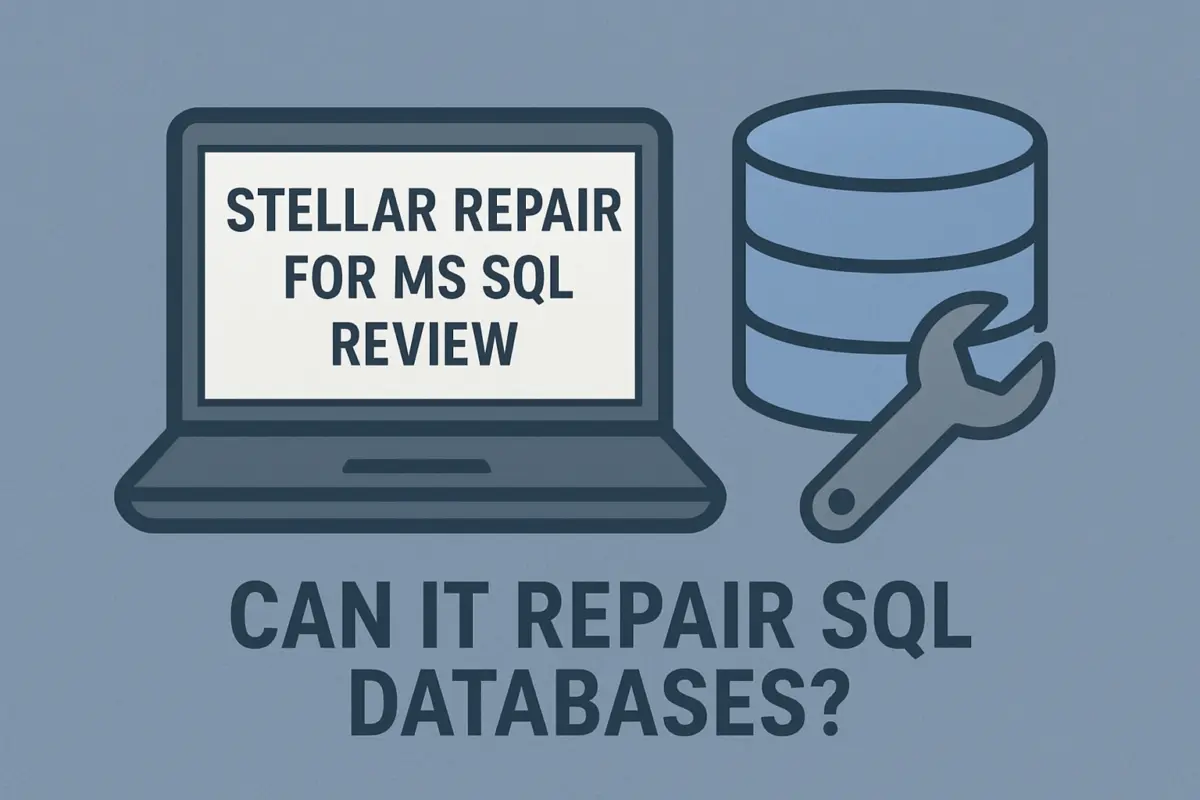
When standard native recovery paths fail or present unacceptable risks, administrators require specialized third-party tooling. Stellar Repair for MS SQL has positioned itself as a prominent last-resort utility in the enterprise database toolkit. Designed specifically to parse, scan, and reconstruct damaged Primary Database Files (.mdf) and Secondary Database Files (.ndf), this software enables teams to preview recoverable database objects, extract critical tables, and export salvaged data securely.
While no third-party software should ever be viewed as a substitute for a robust, routinely tested backup and disaster recovery plan, tools like Stellar Repair fill a vital operational void. According to the Uptime Institute’s 2025 Annual Survey Report, an alarming 50% of data center operators reported experiencing at least one impactful infrastructure or data outage over the preceding three-year window. In an era where downtime translates directly to immense financial losses, reputational damage, and regulatory penalties, having a validated mechanism to assess, extract, and salvage remaining business-critical data can mean the difference between corporate continuity and catastrophic failure.
This article provides an exhaustive, authoritative review of Stellar Repair for MS SQL. We will examine its core architectural capabilities, operational workflows, tiered licensing models, cloud-based diagnostic options, and best practices for integrating third-party recovery software into a comprehensive enterprise disaster management strategy.
Detailed Chronology of a SQL Server Disaster and Recovery Lifecycle
To understand the utility of specialized SQL repair software, it is necessary to map out the exact lifecycle of a database failure and the chronological steps an IT team takes when confronting a corrupted environment.
Phase 1: The Incident and Detection
The timeline typically begins with an unexpected disruption—such as a storage controller failure during a heavy write transaction, an ungraceful operating system shutdown, or persistent storage subsystem I/O latency. Upon attempting to restart SQL Server, the database fails to come online. The SQL Server Error Log lights up with red flag messages indicating page-level corruption, damaged file headers, or metadata inconsistencies. The database is automatically flagged as SUSPECT.
Phase 2: Native Triage and the Limits of DBCC CHECKDB
Upon discovering the failure, the DBA’s first instinct is to investigate using native Transact-SQL commands. Executing DBCC CHECKDB ('YourDatabaseName') generally confirms the scope of the corruption.
- In minor scenarios, running
DBCC CHECKDBwith repair clauses (REPAIR_ALLOW_DATA_LOSSorREPAIR_FAST) can patch minor structural flaws. - However, when corruption penetrates deep into the clustered indexes or IAM (Index Allocation Map) pages, native repair commands often have to deallocate entire pages. This process ruthlessly purges business data without warning or granular selective control, leaving management to sort through unexplained gaps in financial ledgers or customer records.
Phase 3: The Backup Dilemma
With native repair posing an unacceptable risk of data deletion, administrators turn to the backup repository. Here, teams often encounter the "Backup Paradox"—either the most recent backup file (.bak) is outdated, the automated backup routine silently failed weeks prior, or the backup file itself has been compromised by the same storage failure that corrupted the live database. When both the active database and the primary backup fail, the organization faces a severe crisis.
Phase 4: Third-Party Intervention and Granular Recovery
This is the juncture where specialized database reconstruction software enters the workflow. Rather than forcing a brute-force structural rebuild or abandoning the data entirely, software like Stellar Repair for MS SQL mounts an offline forensic examination of the raw .mdf and .ndf files.
[Storage Failure / Crash]
        │
        ▼
[Database Status: SUSPECT / RECOVERY_PENDING]
        │
        ▼
[Native Triage: DBCC CHECKDB Fails or Risks Data Loss]
        │
        ▼
[Backup Verification: Backup Missing, Outdated, or Corrupt]
        │
        ▼
[Third-Party Forensic Scan: Stellar Repair for MS SQL]
        │
        ├──> Preview Recoverable Objects (Tables, Views, SPs)
        ├──> Granular Selective Export (MDF, CSV, HTML, XLS)
        │
        ▼
[Post-Recovery Validation & Integration into SSMS]
By bypassing the SQL Server Database Engine service layer—which refuses to attach or open a corrupt file—the recovery application reads the binary structures of the database files directly. It maps out tables, views, stored procedures, triggers, default constraints, and primary/foreign keys. Administrators can then preview these objects within a graphical interface, cherry-pick the exact tables required for business continuity, and export them into a fresh, healthy SQL Server database instance or alternative formats like CSV, HTML, or Excel.
Supporting Context, Features, and Technical Metrics
Stellar Repair for MS SQL is engineered to handle a broad array of database corruption vectors. To evaluate its enterprise viability, we must analyze its structural components, hardware compatibility, and deployment flexibility.
Core Architectural Features
- Granular Object Extraction: The utility does not merely dump raw data; it reconstructs the relational schema. Tables, views, synonyms, stored procedures, triggers, and programmable objects are parsed and organized systematically in the recovery preview pane.
- Support for Damaged Backup Files (
.BAK): Through higher-tier editions, the software can ingest and process corrupt native backup files, serving as an effective bridge when the backup archive itself refuses to restore due to checksum mismatches or header corruption. - Flexible Export Destinations: Recovered data can be exported directly to a live Microsoft SQL Server instance, generated as a brand-new operational
.mdffile, or exported into lightweight portable formats for auditing and forensic analysis. - Cross-Platform Compatibility: The software caters to heterogeneous IT environments by supporting both Windows-based operating systems and enterprise Linux distributions running Microsoft SQL Server workloads.
Database Version and Infrastructure Support
Modern enterprises rarely operate on a single version of a database management system. Technical debt, legacy applications, and staged migration paths mean that IT teams must maintain compatibility across multiple generations of database architecture. Stellar Repair for MS SQL maintains robust backward and forward compatibility, officially supporting databases created in:
- SQL Server 2025
- SQL Server 2022
- SQL Server 2019
- SQL Server 2017
- SQL Server 2016
- SQL Server 2014, 2012, 2008, and earlier legacy editions.
The Online Repair Alternative for Resource-Constrained Environments
In emergency scenarios where a local SQL Server testing instance is unavailable—such as when an administrator is working from a mobile workstation or an isolated recovery laptop—Stellar offers an innovative online repair service.
Administrators can upload a damaged Primary Database File (.mdf) directly through a secure web interface to perform an initial preliminary assessment.
- File Size Constraints: As of August 2026, the online repair service supports MDF files up to 500 MB in size.
- Security & Compliance Considerations: While highly convenient for diagnosing small databases or extracting quick recovery samples, enterprise security policies must be strictly evaluated. Uploading files containing sensitive customer Personally Identifiable Information (PII), proprietary financial records, or protected healthcare data (PHI) to a third-party web service may violate regulatory frameworks such as GDPR, HIPAA, or PCI-DSS. Organizations must weigh operational urgency against compliance mandates before utilizing cloud-based file uploads.
Tiered Licensing Editions and Comparative Pricing
Stellar structures its MS SQL recovery portfolio into three distinct commercial editions, each tailored to specific organizational needs, technical complexities, and budgetary constraints.
| Software Edition | Approximate Annual Price | Primary Functional Focus | Ideal Target Audience |
|---|---|---|---|
| Corporate | $299 / year | MDF & NDF File Repair | SMBs and internal IT teams dealing with standard file corruption. |
| Technician | $399 / year | MDF, NDF, & Corrupt .BAK Recovery |
Managed Service Providers (MSPs) and dedicated systems administrators handling diverse client backups. |
| Toolkit | $499 / year | Advanced Log Analysis, Database Conversion & Full Recovery Suite | Enterprise database administrators requiring comprehensive transaction log forensics and multi-format conversions. |
Edition Breakdown
- Corporate Edition ($299): The baseline enterprise offering. It is optimized for repairing primary and secondary database files (
.mdfand.ndf) where the underlying database files are inaccessible or corrupt. - Technician Edition ($399): Designed for IT consultants and enterprise specialists who frequently encounter corrupt native backup files (
.BAK). This edition adds specialized routines to parse and extract data streams from damaged backup archives. - Toolkit Edition ($499): The comprehensive flagship suite. It integrates database repair with advanced transaction log analysis and multi-format database conversion tools, allowing DBAs to examine historical transaction logs (
.ldf) and pivot recovered data structures seamlessly.
Note: Pricing figures reflect current market listings as of August 2026. Procurement teams should always verify up-to-date promotional discounts, multi-seat site licenses, and renewal terms directly with the vendor.
Official Industry Insights and Future Outlook
The State of Data Resiliency in 2026
The proliferation of hybrid cloud infrastructures, hyper-converged storage arrays, and containerized database instances has theoretically elevated enterprise availability. Yet, complexity remains the greatest enemy of stability. As highlighted by the Uptime Institute’s 2025 Annual Survey Report, half of all surveyed data center operators experienced a significant outage in recent years. These incidents are rarely simple hardware failures; they are frequently cascading software anomalies, human configuration errors during maintenance windows, or silent storage corruption that escapes detection until an application tries to read the affected blocks.
In this climate, the philosophy of database administration is shifting from prevention alone to comprehensive resilience. While prevention via high availability (Always On Availability Groups, clustered instances, and synchronous geo-replication) minimizes downtime, it does not immunize an organization against logical corruption. If a rogue stored procedure drops a critical table or corrupts relational constraints across a cluster, synchronous replication will happily and instantly propagate that corruption to all secondary replicas in real time.
The Future of Automated Database Forensics
Looking ahead, the landscape of database recovery is poised to integrate deeper artificial intelligence and machine learning heuristics. Future iterations of recovery software will likely utilize predictive modeling to reconstruct heavily fragmented or overwritten database pages by analyzing historical query patterns and transaction log metadata. Furthermore, the integration of automated pre-checks will allow systems to verify the transactional integrity of backups continuously, bridging the gap between passive storage and active recovery readiness.
However, software tooling is only as effective as the discipline of the engineers wielding it. Experts universally emphasize that third-party repair utilities should be categorized strictly as fail-safe emergency measures, never as a substitute for disciplined operational hygiene.
Strategic Recommendations and Best Practices for IT Teams
When facing a catastrophic SQL Server failure where backups are unavailable or compromised, IT professionals should adhere to a strict, methodical protocol to maximize recovery success while minimizing compliance and security risks:
- Always Work on a Cloned Copy: Never execute repair or scanning utilities directly against production storage volumes or the active, locked database files. Always create a bit-level sector copy or file-system snapshot of the corrupted
.mdf,.ndf, and.ldffiles and run the recovery software against that isolated clone. - Utilize the Free Evaluation Trial First: Most enterprise recovery tools, including Stellar Repair for MS SQL, offer a functional trial version that permits deep scanning and data previewing. Always run the trial against your cloned dataset first to visually confirm that the specific tables, records, and schema objects you require are fully recoverable before committing capital to a software license.
- Enforce Security and Compliance Boundaries: Evaluate whether your organization’s data governance policies permit uploading database files to online repair portals. For highly sensitive financial or healthcare repositories, strictly utilize on-premise, air-gapped desktop application deployments to prevent regulatory exposure.
- Document and Audit Recovered Objects: Once data is successfully exported and rebuilt into a fresh database instance, mandate a thorough data integrity and reconciliation audit. Compare row counts, verify foreign key constraints, and run application-level smoke tests before reconnecting the database to production user traffic.
- Prioritize Proactive Disaster Recovery Testing: Treat the incident as a loud wake-up call. Re-evaluate your backup strategy, implement immutable off-site or cloud backup vaults, automate regular restore drills within SQL Server Management Studio (SSMS), and ensure that your documented disaster recovery plan is tested at least semi-annually.
By combining rigorous preventative safeguards with advanced third-party recovery capabilities when the worst-case scenario strikes, modern IT organizations can ensure maximum uptime, protect critical corporate assets, and maintain unwavering business continuity in an increasingly unpredictable digital landscape.